
May 27, 2020
Inkjet inks explained. How are solvent, eco-solvent, latex, UV and aqueous inks different? What are carriers and colorants? Learn how wide-format printers work.
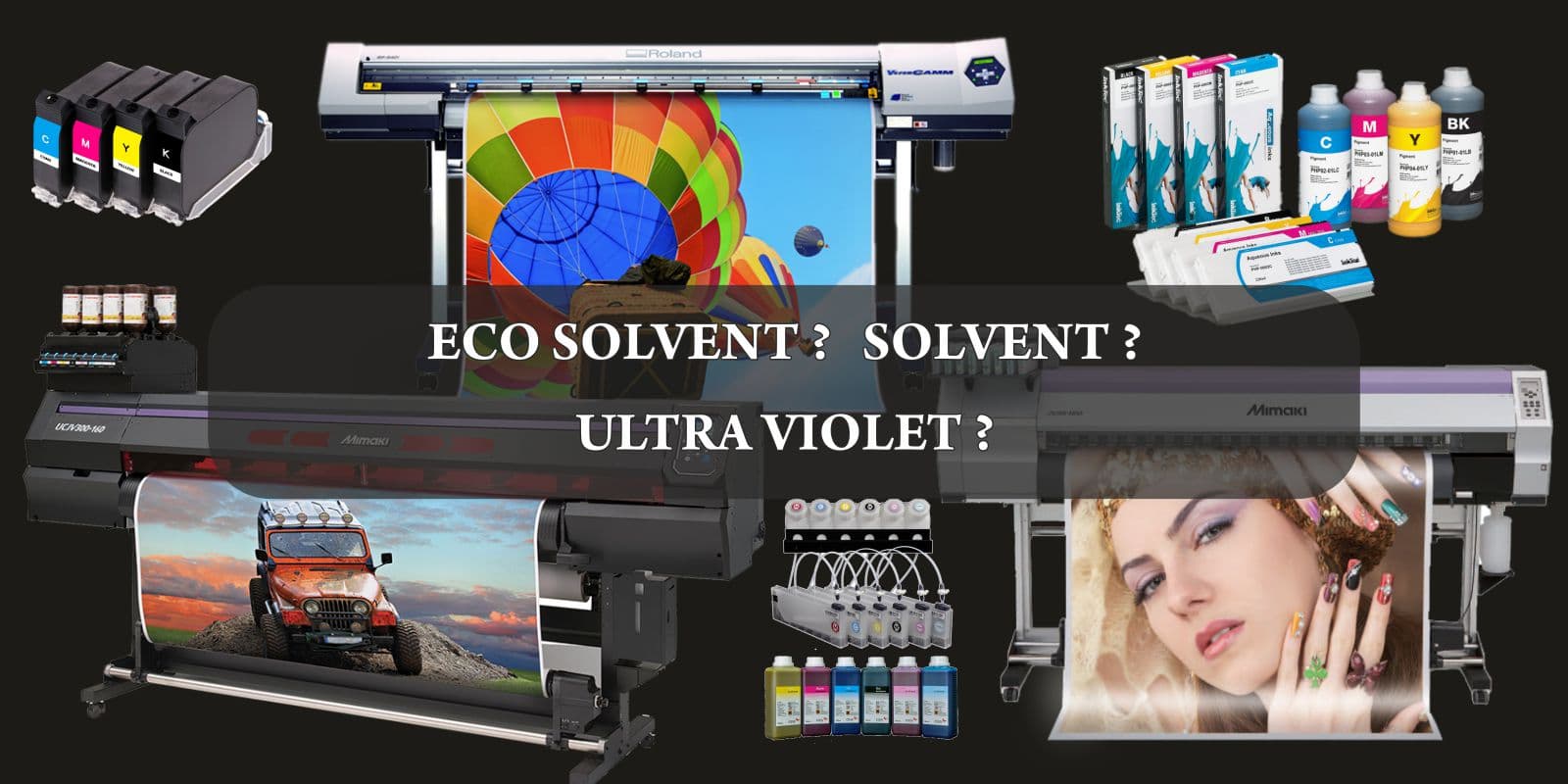
Easy Explanation of the Composition of Inkjet Inks and the Way Wide-format Printers Work.
Wide-format inkjet printing is a multi-billion dollar industry. And ever since the first commercial inkjet printers were introduced in the 1980s, inkjet inks and inkjet machine technology has constantly kept evolving.
The market today is inundated with scores of companies selling a variety of printer models. And more importantly, all these different models deploy different ink technologies.
Printshop operators (and machine sellers) casually use terms like UV inks, dot gain, pigments, DPI, optimiser, CMYK, solvent printheads, etc., etc. And to the uninitiated, these terms can become a little overwhelming.
But honestly, the technology behind inkjet inks is not rocket science. And most printers work on some common principles.
01
You have some ink that is in a liquid form.
02
You need a mechanism to fire this liquid onto the print media.
03
The ink sticks and dries upon the said media.
04
An image is formed.
Now, while the above steps have oversimplified the entire process, the point I am trying to make is that inkjet printing technology is pretty easy to grasp.
And I have crafted this post to cut through all the jargon and explain the same.
There are mainly five different types of inks used in the commercial print-for-pay industry today. And these are:
And this is where all the confusion starts.
Many of my customers grapple with a question about the difference between, say, a solvent & an eco solvent ink print. Throw latex and UV inks in this mix, and things start becoming even more confusing. Some people even wonder about aqueous ink prints. (A largely obsolete ink formulation)
Now, most large-sized print bureaus, like Orchid Digitals, will have not one but multiple wide-format inkjet printers standing by to output their clients’ jobs. And these machines will almost certainly deploy the different types of ink chemistries listed above.
It now becomes a little challenging for the end customer ordering print jobs to determine which ink works best for them.
And if you are an entrepreneur looking to buy a wide-format printer, it becomes even more important for you to fully understand the capabilities and differences between the various types of inkjet printing inks available today.
So the primary aim of this post is to help you understand the difference between solvent, eco-solvent, latex, UV and aqueous inks.
But if I jumped right off the bat and started listing the properties of these inks; for example, if I made a statement like…
“Solvent inks have a hydrocarbon carrier with a pigment as their colorant and a resin as the fixing agent.”
You are probably going to bounce straight off this page and binge-watch ‘Tiger King’ on Netflix. But I don’t want to be blamed for making you lose 6 hours of your life, following the exploits of Mr Joe Exotic 🙂
So here’s what I have done.
I have broken this article into three separate parts to help you understand the topic.
If you are new to the printing world, I strongly urge you to go through this section. Here we discuss the following topics:
Inkjet inks are made up of several chemicals. But there are two main components common to all the different types, irrespective of whether they are solvent, latex, UV or dye-based.
These two components are the ‘carrier’ and the ‘colorant’.
And to a large extent, the mix of the carrier and the colorant determines the properties and capabilities of the various inks we will be discussing.
This section forms the main ‘meat’ of our article. Here we take an in-depth look at the five main types of inkjet inks. Namely, solvent, eco-solvent inks, UV, dye & latex inks.
We’ll discuss each of these inks’ advantages (and disadvantages) and see which segment/application they cater to. I will also attempt to list the costs and level of expertise needed to work with these different ink systems.
Now, if you are in a hurry, just click here to view a chart listing the main differences between these inks.
Chart Showing the Difference Between Aqueous, Solvent, Eco-Solvent, Latex, & UV Inks
Also, if you’ve worked with large sized printers before, you can skip the first section, explaining the workings of the same. Feel free to jump straight to the write-up on inkjet inks composition.
But I recommend that you read on, and I promise that you’ll discover some pretty interesting tidbits about the printing world.
Print for pay stores make use of humongous, industrial-sized printing machines to output their customer’s jobs.
And these machines print out banners, hoardings, posters, stickers, vinyl prints, wallpapers, shop boards, road signs, safety signs, glass films for interior decor, vehicle branding prints – whew… ? to be quite honest; this list is endless.
Now, as the name suggests, wide format printers have a large footprint. They are primarily deployed to output prints measured not in inches but jobs that can run up to tens, if not hundreds of feet in size.
The next time you see a print covering an entire building – remember James Bond jumping off the roof in ‘Die Another Day’ – you can be pretty sure that it’s printed on a solvent printer.
Seriously, guys, you need to focus on that banner, not Michelle Yeoh.
Nevertheless, coming back to the subject matter at hand, industrial printing machines, apart from being large-sized, are also extremely fast. And they also output images at very high resolutions.
You can measure the accuracy of modern inkjets in microns.
Let me quickly enumerate these three characteristics once again, as I will return to them later in this article.
01
Large-sized prints
02
High speeds
03
And amazing print resolutions
But for all their vaunted prowess in speed and quality, an industrial wide-format printer works on the same basic principles that govern the humble inkjets in our homes and offices.
And to understand the difference between inkjet inks, we first need to see how these printing machines actually work.
An inkjet printer can be broken down into three components.
01
The media feeding mechanism that is responsible for pushing the paper forward, as it is gets printed upon.
02
Print heads that move laterally across the width of the paper/media, creating an image on the surface of the same, as it moves forward.
03
Inks that feed into the print heads from overhead tanks.
But this simplistic mechanism hides some pretty clever engineering, as we shall see in the subsequent paragraphs.
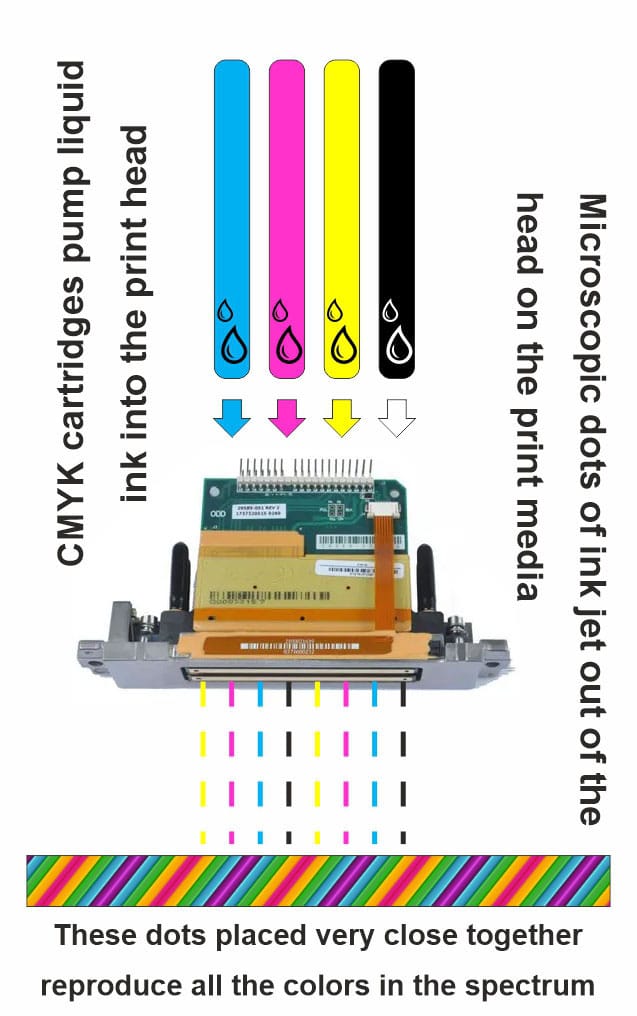
At its core, every inkjet printer has printheads.
These heads have thousands of microscopic nozzles on one end. And there is a tube feeding ink into the printhead from the opposite side.
Liquid ink stored in a cartridge or ink tank is supplied to the head from above.
The printhead pulls in liquid ink from the cartridges/ink tanks and then sprays this ink through its tiny nozzles onto a sheet of paper passing beneath.
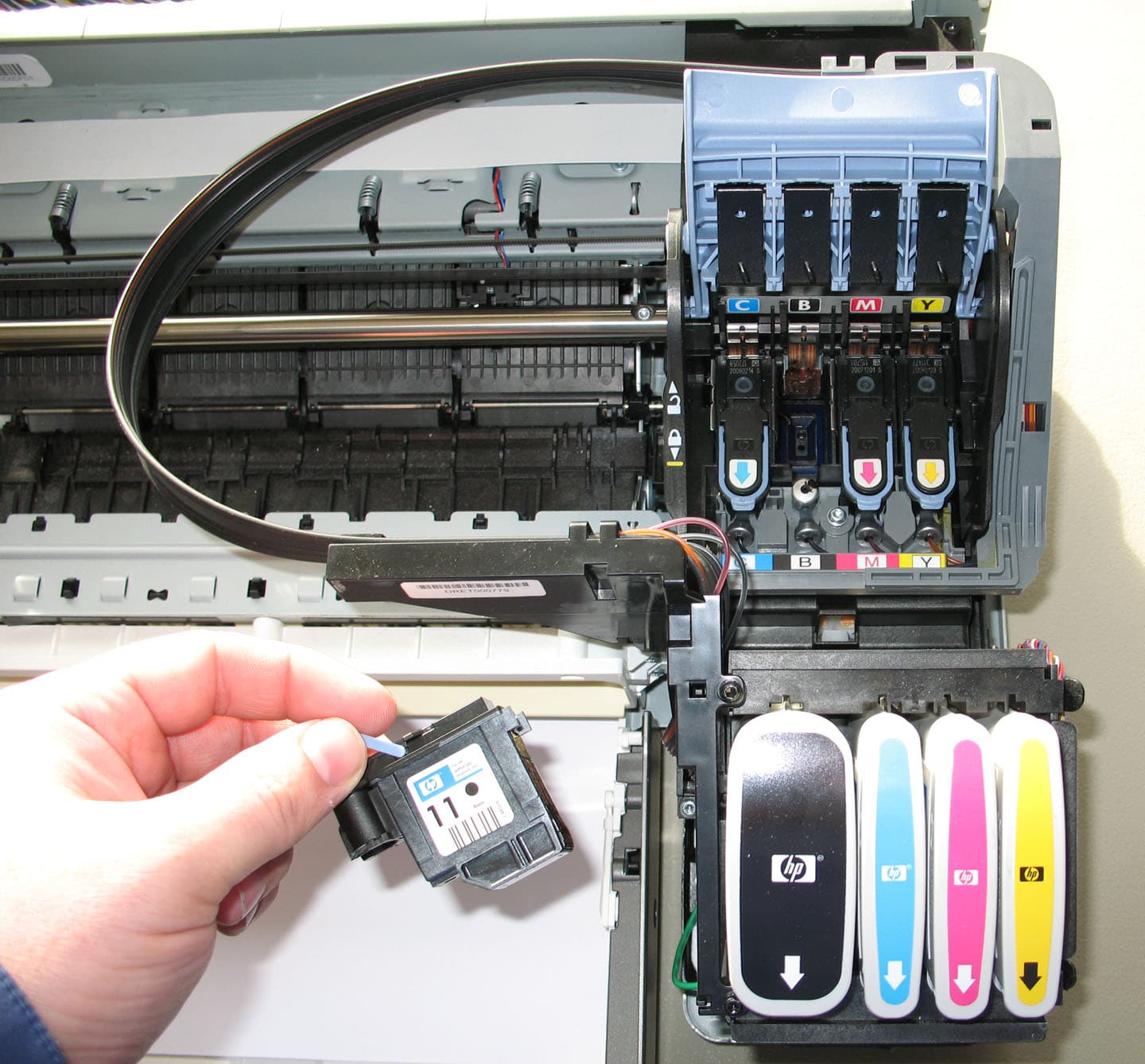
Commercial printers generally have four heads, each containing four primary colours: CMYK. These four letters represent the colours Cyan, Magenta, Yellow, and Black, respectively. And a combination of these four colours can create virtually any shade in the colour spectrum.
Colour theory in itself is a vast subject that falls beyond the scope of this discussion. Suffice it to say that these four colours are mixed like the paints on an artist’s palette to create new shades and tints at the time of printing.
And when mixed in different proportions, a combination of CMYK can faithfully recreate all the required colours needed to reproduce the images in our prints.
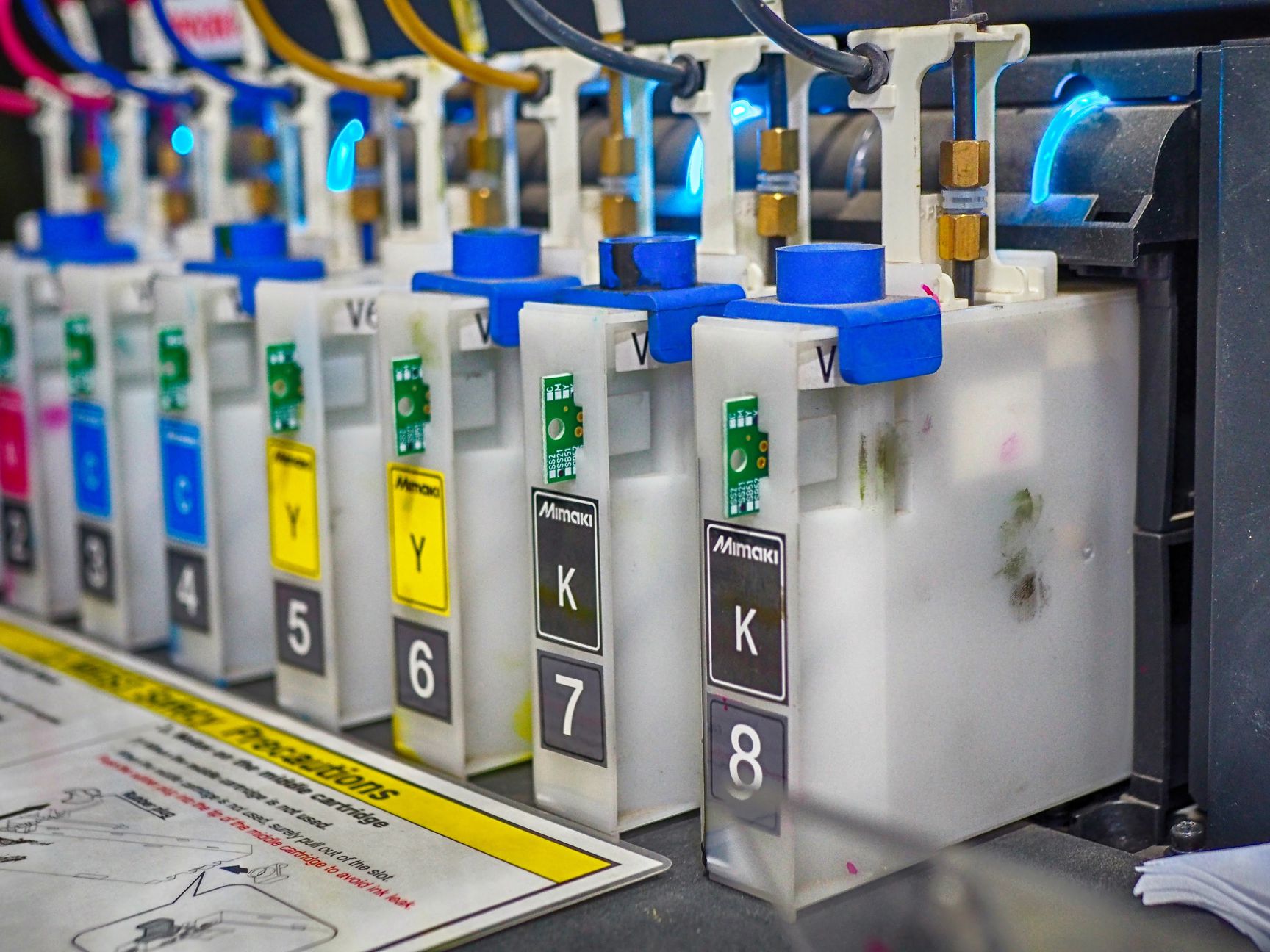
Now, as I mentioned before, our print heads have hundreds if not thousands of small nozzles laid out in an array on its lower surface. Each drop of ink that comes out of these nozzles creates a single dot on the print media.
Think of each inkjet as a Holi / Rangpanchami pichkaari, squeezing out coloured water at high pressure. These coloured drops of ink fall onto the media beneath and quickly dry up to create a single dot on the substrate.
Place enough of these dots sufficiently close together, and they go on to form the text and the images we see.

The best example of this would be the images we see in newspapers. These dailies are printed at fairly low resolutions, and the photos within are pretty grainy. Place a magnifying glass over an image in a newspaper, and you can easily make out the individual dots that go on to make the overall photograph.
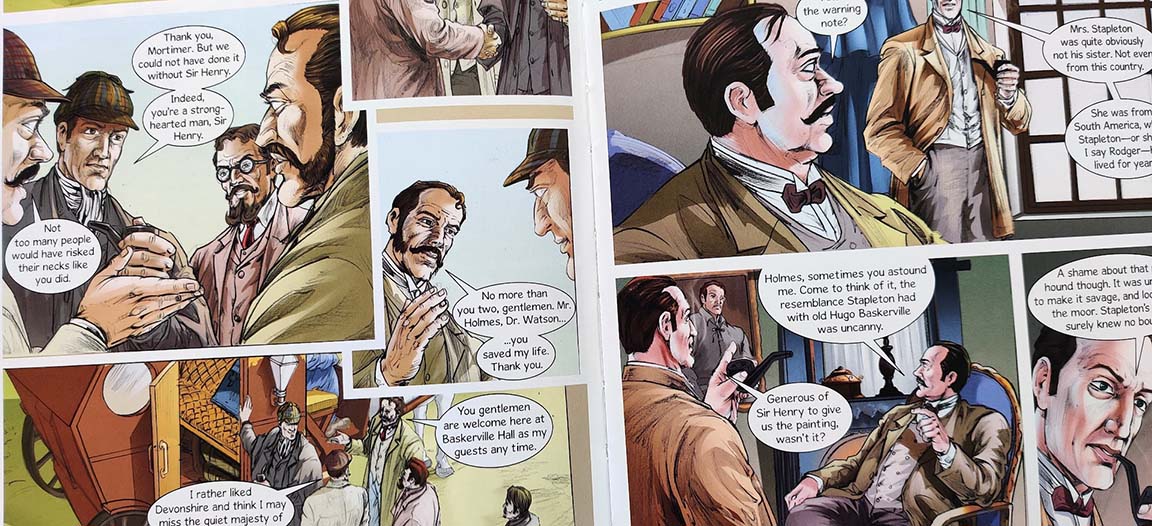
On the other hand, these dots are not so easily visible on the photographs printed in a premium magazine or comic book. This is because the dots in this image are much finer/smaller.
Without getting into technicalities, this example of coarse-looking images printed in a newspaper versus high-resolution photos in a glossy magazine show that the capability of a printer to create smaller dots results in the following:
01
If your printhead can create a smaller dot size, you can pack in more dots per square inch.
02
As the dots are placed more closely together, it becomes difficult for the human eye to separate them or see them individually. Your mind now registers a more continuous image – as against the more grainy, low-res images where in fact you can… make out the individual dots.
03
So, the higher the dots per inch, the better the resolution of the final image.
And this is exactly what DPI or dots per inch stands for.
It tells us how fine an image a printer can print, based on its print head’s ability to create dots of a given size.
The next time you go out to buy a printer, do take a look at the DPI value listed in its spec sheet. As I explained earlier, the higher this value, the greater its capability of reproducing high-resolution images.
A fashion magazine aimed at a premium clientele is made of a thick & coated sheet of paper. This sheet also has a superior tactile feel and a rich glossy/matt finish.
Newspapers, on the other hand, are binned at the end of the day. And in a bid to keep costs low, our dailies are printed on thin, low grade, and uncoated paper.
But the difference in the quality of the paper used for printing out the job also influences the end quality of the image.
Let us see why.
Inkjet inks have a liquid form. And when these liquid inks form even microscopic dots of colour, they still create a splash when deposited on the sheet of paper.
In an ideal world, these dots of ink would be perfectly circular. But because of the liquid splash, the edges of our ink dot become slightly irregular or blurred. Some of this splash also overlaps into the edges of the adjoining dots.
This phenomenon is known as ‘Dot Gain’.
It basically means that the dot of ink which was supposed to have formed a perfect circle gains a little bit of additional area when deposited on the sheet paper.
And by now, you’ve probably guessed where this is all leading to.
The greater the dot gain, the more irregular our dot of ink, and the more blurred our final image.

This means that in our quest for creating the perfect photograph, buying a high-resolution printer capable of reproducing fine dots is just half the battle. You also need compatible media that can reduce dot gain and help in creating a crisp image.
Coming back to our newspaper example, the paper used here is highly coarse and also pretty hygroscopic. Any liquid ink formulation will splash all over it. And to some extent, this liquid will also get absorbed by the paper fibres.
Creating a high-resolution image on this media, now becomes difficult.
So the printing machine operator opts to print images at a lower resolution on low-grade paper. And this is the reason why the photograph of a wanted criminal looks so grainy and unappealing in the crime section of our dailies

On the other hand, a high fashion model posing for a cosmetics ad in a monthly magazine looks so much more appealing. This is because, for such high-end applications, publishing houses use specially coated paper.
Coated sheets of paper have a thin layer of wax on them. This layer helps enhance the properties of our sheet of printing paper in two ways.:
With the dot gain now minimised, print houses can now start printing images at extremely high resolution.
This statement basically means that at higher resolutions, the dots that go on to make a photo are placed much closer together. The coated paper minimises dot gain by ensuring that each drop of ink goes on to create a dot with well-defined edges. Moreover, these edges do not overlap into the area occupied by neighbouring dots.
If you have access to an inkjet printer at home or in the office, you can verify this for yourself. Set the machine at a high resolution / DPI and print an image on an ordinary uncoated sheet of paper.
The image will probably be a little blurred and faded. You might even notice creases and wrinkles in your print because the sheet has soaked in the liquid before it could completely dry off.
Now go out and buy specially coated photographic paper. Be ready to pay a hefty price for the same. But the money will be well spent. Our image, when printed on this sheet, will have extremely high resolutions and vibrant colours.
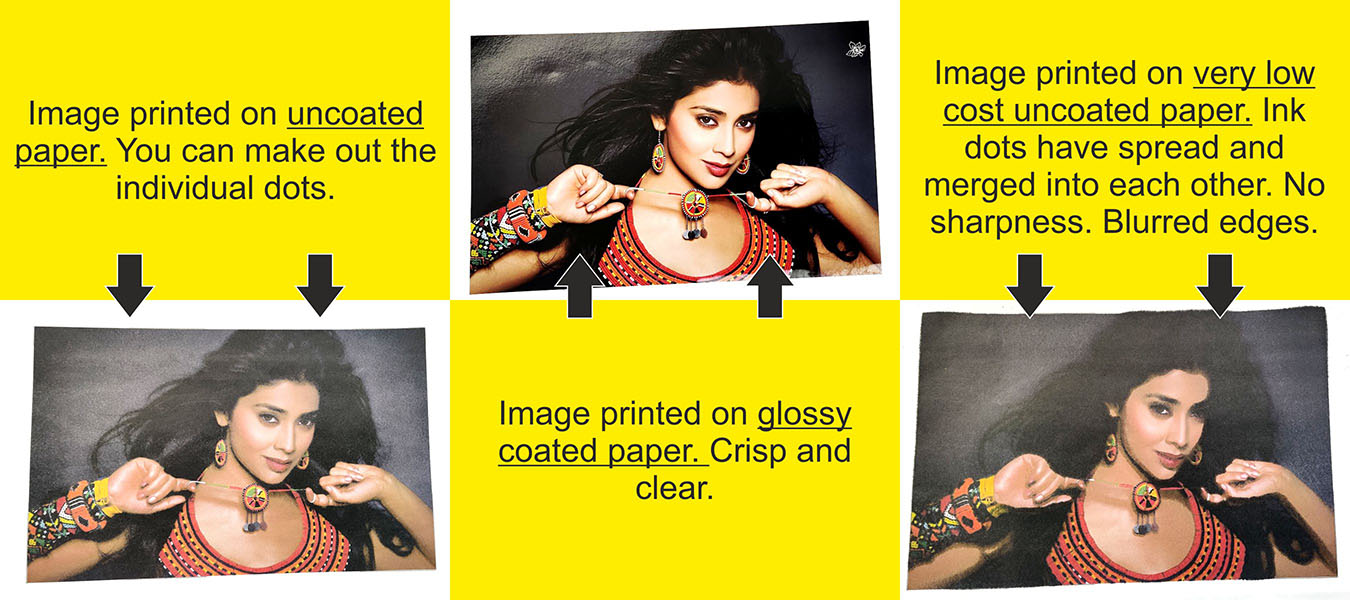
Media quality, DPI, dot gain, ink drying time, etc., are all important factors that influence the final print quality. And we will be coming back to these points later on when we compare the inks of different wide-format inkjet printers.
In an inkjet printer, the printheads are mounted on a rail-like device called the carriage. The inkjet heads move laterally along this rail. So, if we were to use a graph as an analogy, the printheads would be moving along the ‘X’ axis.
And while the printheads are doing their thing from left to right, the paper/media moves from back to front, or along the ‘Y’ axis.
In a small home office printer, the paper is stacked in a tray. Friction rollers made of rubber pick individual sheets from the tray and push them onto the print bed. At the same time, printheads glide on the carriage/rail above, spewing out ink on the sheet beneath.
In a wide format printer, media is handled differently.
These industrial machines enable printing on large-sized rolls of media. Flex, vinyl, fabric and paper rolls as wide as 10 feet can be mounted on a feeder reel fixed on the printing machine.
The feeder reel unspools the media onto the print bed for processing.
Here, the print heads moving a few millimetres above the surface deposit their inks. The printed roll then comes out of the other end. This long banner print is then collected on a take-up reel which rewinds the banner into a more manageable roll.
In short, blank media comes in at one end, gets printed upon, and is gathered into a roll at the other end. And this mechanism allows wide format printing machines to print out banners 10s if not 100s of feet in length.
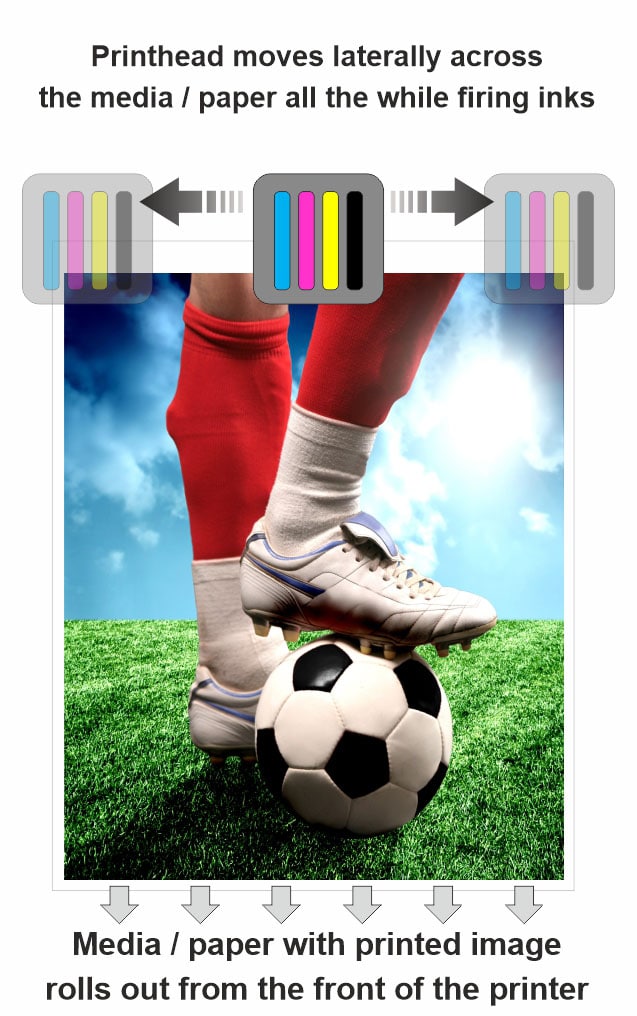
Most users think of printers as machines that reproduce images on paper. But you might have noticed that I am using the word ‘media’ to refer to the same. This is because, in addition to paper, inkjet printers can print on a variety of substrates like plastic, fabrics, metal foils, canvas, etc.
As I mentioned in the previous section, inkjet inks are typically configured in four primary colours – Cyan, Magenta, Yellow, and Black, i.e. C, M, Y, and K, for short.
These four colours are mixed in different proportions to create every colour in the spectrum. A close analogy of this would be how an artist creates different shades on her palette using a few primary colours.
You might also want to check out this beautiful article on Wikipedia, which goes into a lot of detail about how CMYK process colours work.
Colour theory is not a subject matter for our discussion. But we still need to take a quick look at the components of printing inks to understand the differences between different types of the same.
Now, each of the four inkjet colours mentioned above has two main components:
Inkjet inks are liquid in nature.
This liquid flows from the ink tank into the print head, gets squeezed out of individual nozzles, and is finally deposited on the substrate that is being printed upon.
While moving through all the above components of the machine, the liquid also carries along with it, the colour. And hence the term – carrier.
The carrier (or the liquid component) enables the flow of inkjet inks through different areas of the printing machine and finally onto the print media.
Think back to our example of the ‘Rangpanchami Pichkari’.
Our Pichkari (or toy, water spray gun) holds coloured water. This mixture is 99.9 parts clear water and 0.1 part chemical dye.
As you squeeze the tube/jet, water is forced out of the nozzle in the form of a thin and long stream. This jet of water then splashes on your friend’s shirt, all the while carrying the dissolved colour along with it.
And after some time, the water evaporates to leave behind a vividly coloured pattern on your friend’s clothes.

Inkjet inks work in pretty much the same way. Their fluid movement is enabled by the liquid carrier, which has a small component of colour dissolved in it. This fluid does all the heavy lifting and enables the transportation of the inks from the ink tanks to the print media via the print heads.
And once the inks are deposited onto the surface of the media, the carrier quickly evaporates to leave behind just the colours – a single dot of either C, M, Y or K.
Traditionally ink carriers were just plain water. But the more modern printers like solvent and eco-solvent printers use an oil-based formulation as their carrier. Here is a table that shows the types of carriers used by different printing machines.
| Carrier Component of the Ink | Types of Printers |
|---|---|
| Water | Aqueous ink printers |
| Latex printers | |
| Solvent | Solvent printers |
| Mild or ‘eco-friendly’ solvent | Eco-solvent printers |
| Acrylate resins along with photo initiators* | Ultra Violet / UV ink printers |
* Don’t let the technical term scare you. We will be discussing it in the UV inks section later.
As the name suggests, the colourant is that component of ink that lends it its colour.
Let’s go back to our ‘Raang Panchami pichkaari’, analogy (or toy water gun for my non-Indian friends). To make the plain water in pichkaari colour, we also add in a little bit of gulal (red powder). So the colourant in our ink would be the gulal that dissolves in the water to give it a red colour.
Similarly, the magenta cartridge in our printer will contain a carrier (like water) and a magenta coloured dye. And the mixture of the two goes on to make our magenta coloured ink.
Now, I can see some of you rolling your eyes and going, ‘duh… yeah… like we didn’t figure that out already.’ But indulge me for a moment. It does get interesting.
There are mainly two types of colorants in inks:
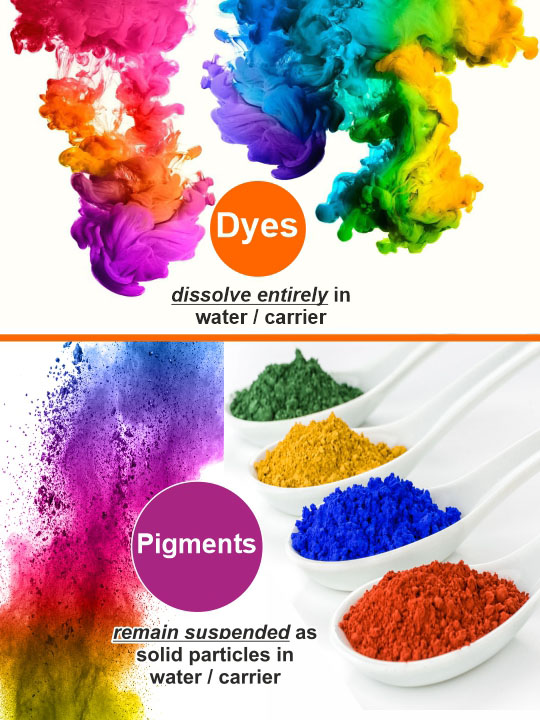
Dyes are colorants that entirely dissolve in water. Pigments, on the other hand, are solid particles that stay suspended in water.
Dyes are liquid, to begin with, and are completely water-soluble. Once mixed in water, you can’t really separate the two of them. These dyes go on to stain the media that gets printed upon.
Pigments, on the other hand, are not liquid but solid particles of colour. Moreover, these particles are water-insoluble. And after being sprayed from the inkjet, these particles physically stick to the surface being printed upon.
To understand pigment inks, just imagine a water solution saturated with microscopic particles of coloured chalk. These particles are not dissolved in the water but stay suspended in the same. Theoretically, if you had a fine enough sieve, you could filter out these coloured particles even after being mixed in water.
Being water-insoluble, the biggest benefit of pigment-based inks is that they are significantly more robust than their dye-based counterparts. Rainwater cannot make these inks run (place a drop of water on dyes, and they will start smudging). Moreover, pigments are also more resistant to sunlight and will not fade as quickly as dyes do, in the same.
Solvent, eco-solvent, and latex, and UV inks all use pigments. And prints from all of these machines can be used outdoors.
Let me highlight some pros and cons of both dyes and pigments.
Dye-based ink is nothing but stained water. And you can squeeze this water through extremely fine nozzles to create very tiny dots of ink. And as I explained in my paragraph about DPI, the tinier the dots, the higher the image resolution.
On the other hand, pigment inks are solid particles of colour, very much like tiny grains of insoluble sand. So there is a limit to how small the size of the nozzles on our printhead can be. If the holes are too tiny, you won’t be able to push out these ink particles onto the media beneath.
When printing technology was still at a nascent stage, pigment inks could not deliver the same high resolutions as dye-based printers.
But let me pose another problem, this time in favour of pigments.
Dyes are fully liquid. As such, they get absorbed into the fibres of uncoated media. They also tend to blot and spread when used with low-grade paper. So, an owner of a dye-based printer was forced to buy expensive coated media to generate good quality images for his clients.
Further, these images were extremely delicate. A single drop of water or a scratch could ruin the entire print. So, an additional coat of lamination was necessary to protect the print from the elements.
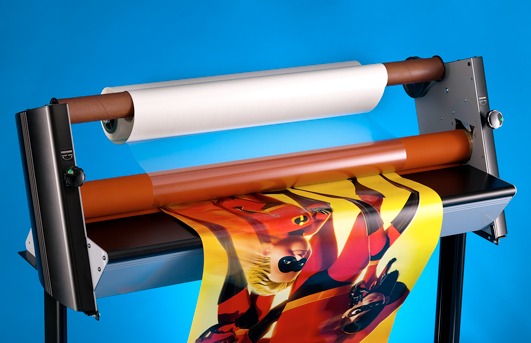
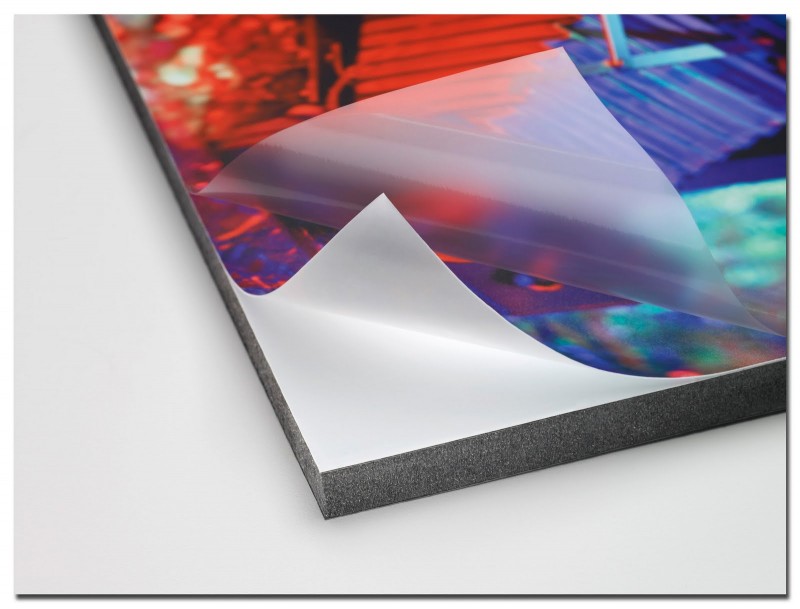
Pigment inks are more forgiving in this respect. Since they are not water-soluble, solvent and eco-solvent printed images are more robust. You can install these prints outdoors, in rain and sunlight, even without any protective topcoat.
The amount of coating on the media required for pigment inks is also lesser than that of water-based dyes. So a print shop owner can use lower-cost media to generate high-resolution images.
But as with so many other things in life, things are not so straightforward when it comes to inkjet inks. And so, we finally come to the part about individual ink chemistries to learn the difference between solvent, eco-solvent, latex, UV and aqueous ink prints.
My daughter Mahi often accuses me of going into unnecessary details and long backstories.
Ask me a problem about the angles in a triangle, she says, and I tend to start a lengthy explanation beginning with this gentleman called Pythagoras, from 400 BC.
She pretty bluntly (and succinctly) sums up my condition by terming it – Verbal Diarrhoea 🙂
And you know what. She might just be right.
We are four thousand words into our article, and only now, have we reached the main subject matter of the same.
But I honestly believe that you would not have fully underwood the pros and cons of the various inkjet ink technologies available today without the above explanation about wide-format printers and ink compositions.
Now, to recap, there are 5 main flavours of commercial inkjet inks.
And it’s now time to take a deeper look at each one of them.
All first-generation inkjet printers worked with aqueous or water-based inks. Also, many home/office desktop printers use dye-based aqueous ink technology.
As the name suggests, this ink has water as its carrier. And the other part of the ink, i.e. the colorant is made up of dyes.
Dyes, as we just saw, are liquid colorants that dissolve entirely in water. This makes aqueous ink chemistry pretty simple. If you think about it, it’s just coloured water.
Moreover, dye inks are very vibrant. The colour output of these printers has a significant ‘punch’. These properties make dye-based aqueous ink printers ideal for reproducing high-resolution photos.
The problem with dye inks is that they are entirely water-soluble. And obviously, water-based solutions are going to be susceptible to outdoor conditions like rain and sunlight. This means that even if a single drop of water were to fall on the print, it gets completely ruined.
And laminating the prints for water protection becomes mandatory. Aqueous dye-based inks also fade quickly when exposed to sunlight or when the photos are installed in an outdoor environment.
One other problem is that aqueous dye ink printers can only print high-resolution images on specially coated media. If you use uncoated paper, there is a risk of the water seeping into the same. Prints on uncoated media also look a little dull and subdued. Moreover, water-based dye inks also tend to spread and blot on plain uncoated paper.
With only specially coated paper as an option to print on, the media range of aqueous ink printers is severely restricted. And when compared to the other inks in this list, this is a huge disadvantage.
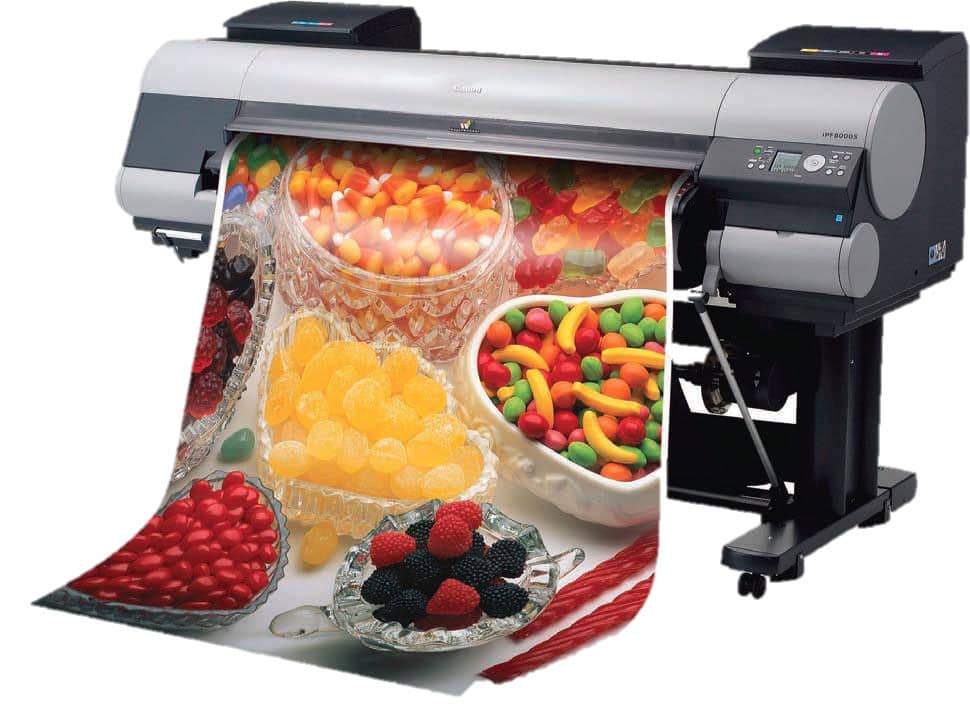
The susceptibility of dye-based aqueous inks to scratches, rain, and sunlight proved to be a deal-breaker. In the nineties and early 2000s, there wasn’t any real alternative to these machines. So, dye inks saw widespread implementation.
But technology advanced and better ink formulations were introduced in the market. The turn of the century saw the advent of very robust solvent inks and high-resolution eco-solvent printers. Not only was their output ‘outdoor-proof’, but these machines could also print on a variety of other media.
And the print industry quickly traded in their dye printers and adapted the newer technology.
Dye inks are still used in home inkjets. And this technology also has speciality applications like dye sublimation prints for fabrics. But the commercial, print-for-pay sector now had the following alternatives, to place their bets on.
Dye-based inks were just not suited for outdoor applications. And this posed a big problem. The market needed a solution for large hoardings and banners that advertisers could install on roads and highways.
Enter – Solvent Ink Prints.
Solvent inks have an oil-based hydrocarbon compound as their carrier. And a pigment forms the colourant component of the ink. In addition to this mix, solvent inks also contain a raisin.
Now, as you no doubt remember, from our section on colourants, pigment-based inks do not stain the media like liquid dyes. Instead, pigments are microscopic but solid particles that sit on the substrate that is being printed upon. Moreover, these particles are water-insoluble and significantly more robust than their dye counterparts. They also do not fade very quickly in direct sunlight.
One more thing you need to know is that solvent ink printers are mainly used to reproduce images on coated plastic substrates like flex banners and vinyl. And at the time of printing, the solvent ‘bites’ into the top surface of the media while simultaneously depositing the coloured pigment.
Now, here is what happens when a pigment-based solvent ink is deposited onto the media.
I have already mentioned that our pigment-based solvent ink is water and sunlight resistant. In addition to this, the strong bond created by the raisin between the colours and the base media makes the ink resistant to scratches, and daily wear and tear.
Because of this robustness, solvent ink prints perfectly fulfil the demand created by the outdoor advertising industry.
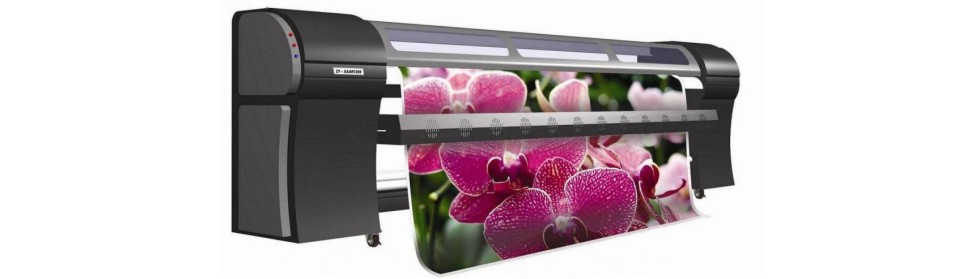
In the early 2000s, indoor photo prints were taken care of by dye-based aqueous ink printers. And printshop bureaus generated virtually all outdoor hoardings and banners, on large-sized solvent printers.
But unfortunately, the enhanced strength of solvent inks came at a cost. The colour gamut of pigment inks was smaller than that of dyes. Low-resolutions was another problem that plagued ‘hard’ solvent printers.
‘Colour gamut’ means the number of colours that a particular set of inks can faithfully reproduce. For example, if there are infinite shades of red, pigments can reproduce a significantly lower number of reds than dyes. Because of this shortcoming, the pigment inks developed initially (in the 1990s) could never achieve the vibrancy of dye inks.
Large pigment particles also resulted in lower resolutions of solvent printed outputs. These prints were a little coarse and grainy. Look a little closer at any hoarding print, and you will be able to make out the individual dots that go on to make the image.
But that was the very point of large-sized, yet short-lived prints. You have to keep your costs low.

A solvent print set in an outdoor location is typically viewed from a long distance. And one need not strive for high resolutions, for jobs that are going to be viewed from a distance because the human eye cannot make out the difference anyway.
Imagine that you are sitting in a car at a traffic signal. The hoarding is approximately 40 feet from you. And you will see the print for only a few seconds before you drive away. So a slight graininess in the image will not really register.
Moreover, outdoor hoardings need not have a very long life – the ads running in that space change every few months (if not weeks). So in this scenario, keeping your print costs low is far more critical than the quality of the image.
And this is where hard solvent ink prints rock. They are absurdly inexpensive!
Against the trade-off on resolutions, solvent prints offer one major advantage. They are currently the cheapest solution available in the market for outdoor branding and advertisement.
As we shall see in the next section, eco-solvent prints are pretty inexpensive. A low price point is one of the main reasons for their widespread adaptation. But solvent prints are even cheaper. They cost 40-60% less than eco-sol prints. This makes them ideal for mass advertising campaigns.
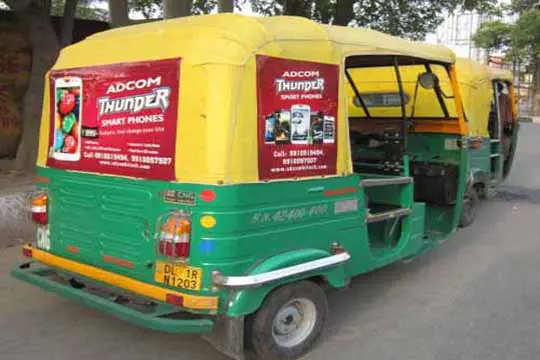

The following example will tell you why solvent prints (at their low price) are such a success story today.
| Printing on Eco-Solvent Ink (assuming Pune City) | Printing on Solvent Ink (assuming Pune City) | |
|---|---|---|
| Rate | ₹ 40 – 50 / sq. foot | ₹ 15 – 25 / sq. foot |
| Dimensions of Job | 20 feet (height) x 40 feet (width) | |
| Cost | ₹ 32,000 (+ taxes) | ₹ 12,000 (+ taxes) |
| Output | A single print of high-quality | A single print of lower-quality but works for huge outdoor advertising. For the cost of one eco sol print, you can make three hard solvent hoardings. And show them at three different locations. |
Hence, while you can make a large outdoor hoarding on an eco-solvent machine, it probably will not be very price competitive. And as we shall see in the subsequent sections, latex and UV inks are even more expensive.
Hence hard solvent ink prints are the best bet today for large-sized hoardings and for short-lived but mass outdoor ad campaigns.
Dye-based inks and solvent prints sit on two opposite ends of the spectrum. If the former is high-quality, the latter is low priced. If dyes work well indoors, hard solvents can only be deployed at exterior locations.
What was needed by the print industry was a solution that delivered the best of both these worlds.
Enter – Eco-solvent Inks.
Wide-format printing machines were already ruling the indoor and outdoor advertising segment in the nineties. And ink technologies were only getting better.
Over the next decade, pigment particles became smaller and smaller, and their colour vibrancy also kept increasing by leaps and bounds. Ink companies developed better formulations with less harsh solvents.
The quality of print heads too kept pace with this increase in the quality of inks. We now had nozzles that could create drop sizes as small as 5 – 8 picoliters, even with pigment-based solvent pigment inks. The barrier to high-resolution printing that solvent inks initially faced, now no longer existed.
All of these technologies came to a head, and a new kind of ink evolved that ticked all the right boxes.
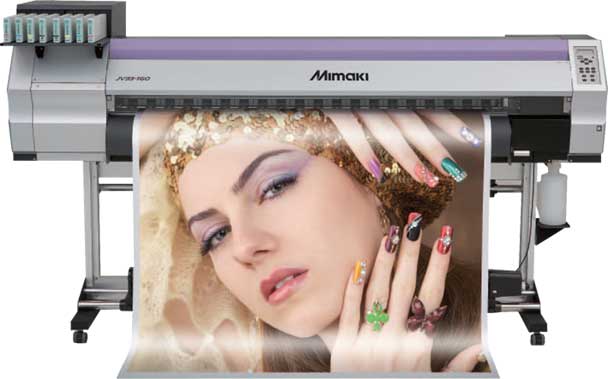
The new ink still has a solvent as its carrier.
And it works on the same principles as the hard solvent machines described in the previous section. But the chemical formulation of the solvent had significantly improved. It was much milder and ‘eco-friendly’ than its ‘hard solvent’ counterpart.
And people started referring to it as Eco-Solvent Inks.
Eco-solvent inks (and machines) went on to become an instant hit among print shop owners. And by 2010, most reputed print houses in India had at least one eco-solvent printer installed within their premises.
Some of the biggest printing companies on the globe have also engineered machines around this technology. These include Canon, Mutoh, Mimaki, Roland, Scitex, Durst, Colorspan, Matan, Vutec, etc.
HP / Hewlett Packard is a notable exception to the above list, and we will see why in just a short while.
The benefits of these machines, as I have already mentioned before, were manifold. Print bureaus could now generate photo-quality output at stunning image resolutions. And all of this at a pretty low price point.
Apart from this, laminating the prints (for protection from water and sunlight) was no longer required. And this eliminated one entire step in the production process. You could simply pull the prints from the machine and hand them over to your clients.
As eco-solvent machines started getting adopted across the board, media manufacturers, too, got on to the act. And they all started developing a variety of materials compatible with these printers.
Today, print shop owners are absolutely spoilt for choice when it comes to media selection.
In addition to the standard media like flex and vinyl, you can buy eco-solvent compatible rolls of paper, cloth, mesh films, backlit films, canvas, tarpaulin, metal foils, radium reflective films, night glow films, glass films and even rolls of artificial leather/rexine.
All of which go on to increase your product range and shore up your bottom lines.
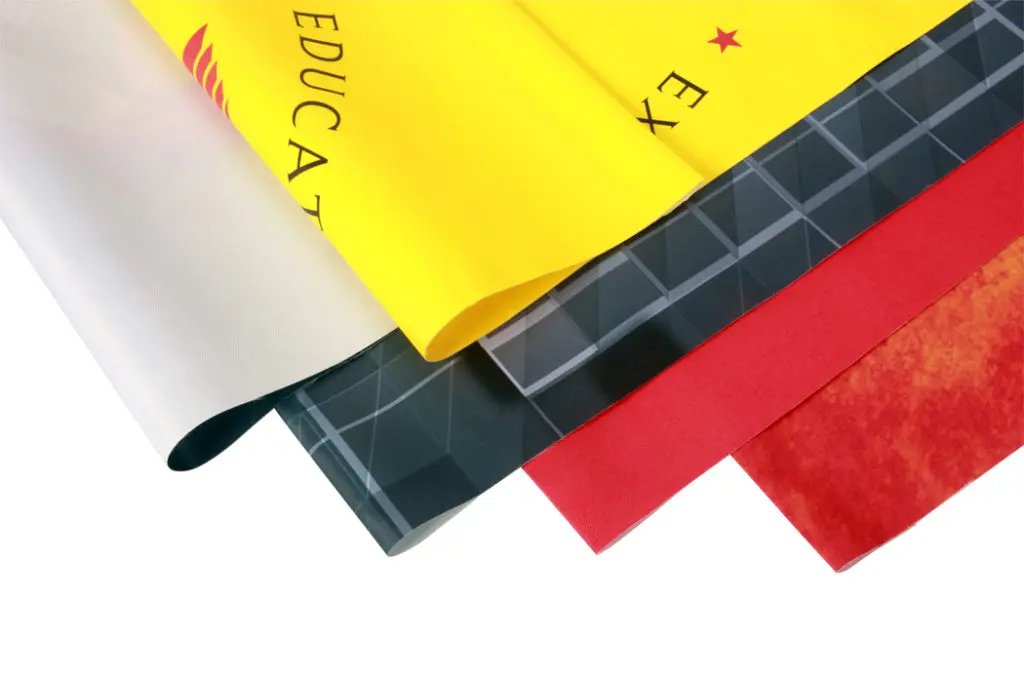

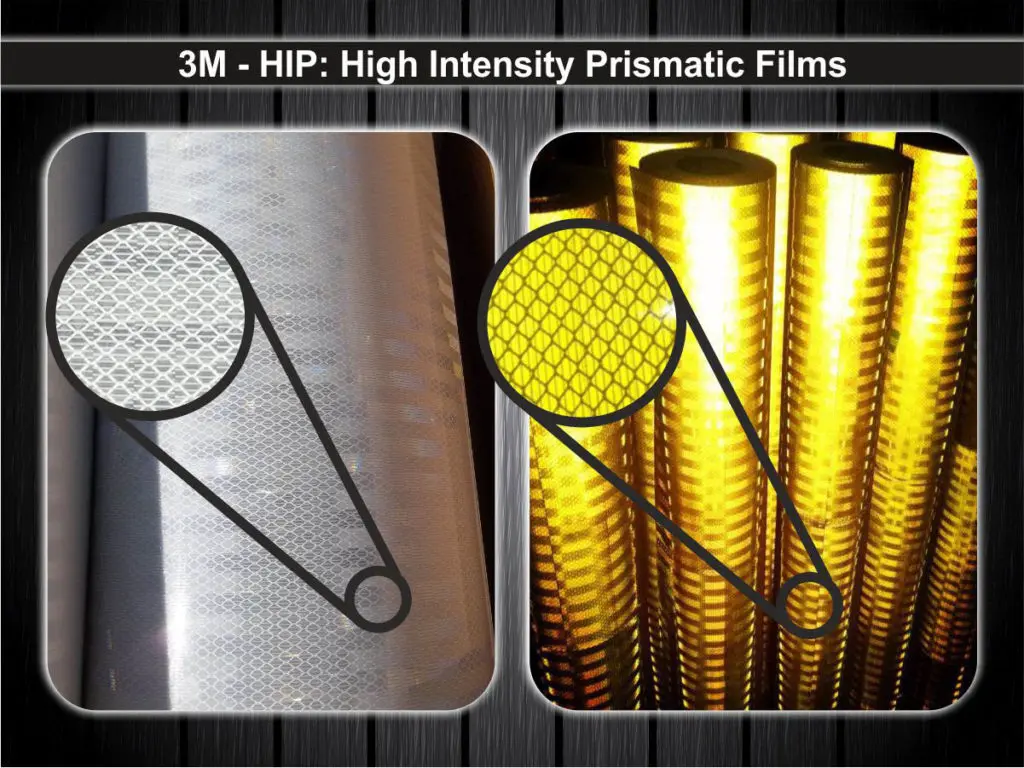
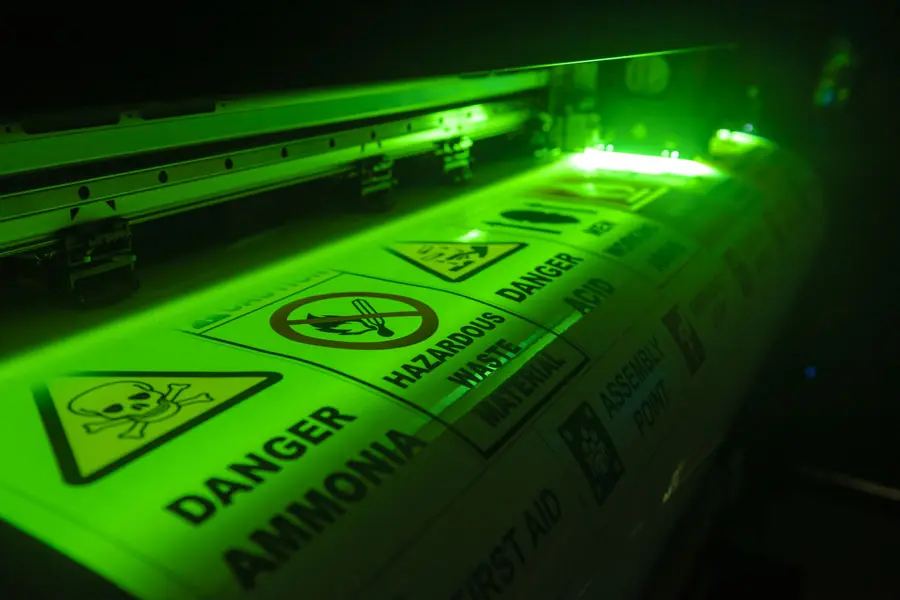
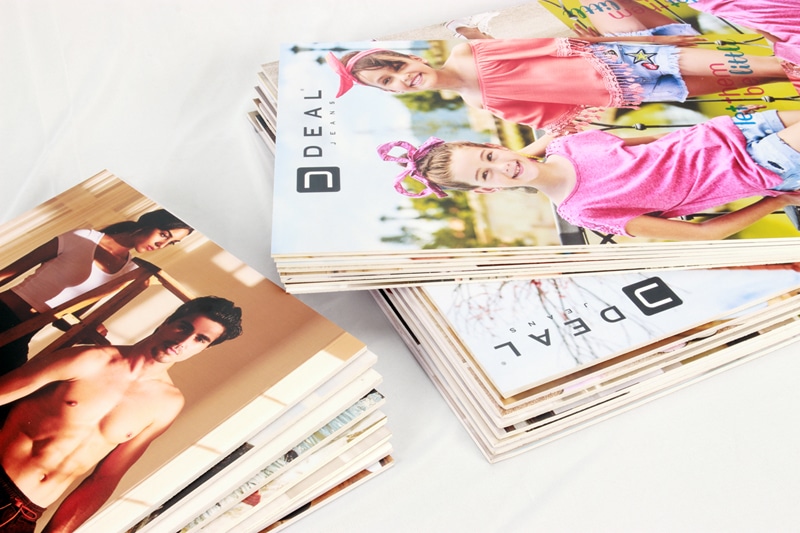
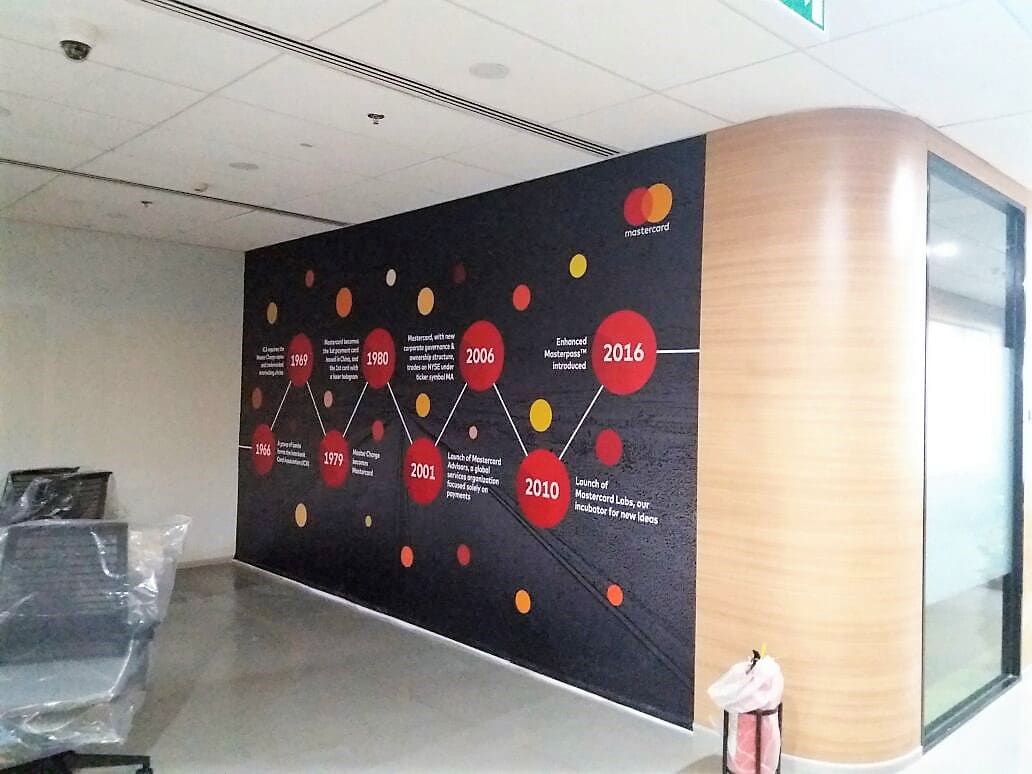
Eco-solvent machines currently account for a large percentage of the commercial communication in malls, retail stores, and office environments.
And finally, with the wide adaptation of this technology, there is no dearth of suppliers for spares and inks. Trained engineers too are available in plenty, should your machine ever break down, or need maintenance.
If you go through the section above, you will notice a few parameters on which eco-sol inks fall short.
An eco-solvent printer needs some minimally coated material to print on. It will work with uncoated paper, but the image will look a little faded/subdued.
Also, while eco-sol inks are pretty durable, printers still laminate them for extra protection against scratches.
Finally, even though manufacturers claim that the inks meet all green requirements, these mild solvent inks do have some minimal impact on the environment.
In 2008, a company called HP decided to plug these gaps by coming up with some radically different technology.
Hewlett Packard or HP for short is a big name in electronics, computers, and even in the print industry. And while the rest of the large printing companies hitched their fortunes to eco-solvent technology, HP decided to blaze its own trail.
They developed an ink called – Latex Inks.
Latex inks are composed of water as their carrier. The colorant is made of water-insoluble pigments. In addition, microscopic polymer particles are also mixed into this solution.
Here is how printing and ink fixing takes place on a latex printer.
And while the above explanation may sound simplistic and straightforward, HP put in a lot of innovative engineering to make this idea work.
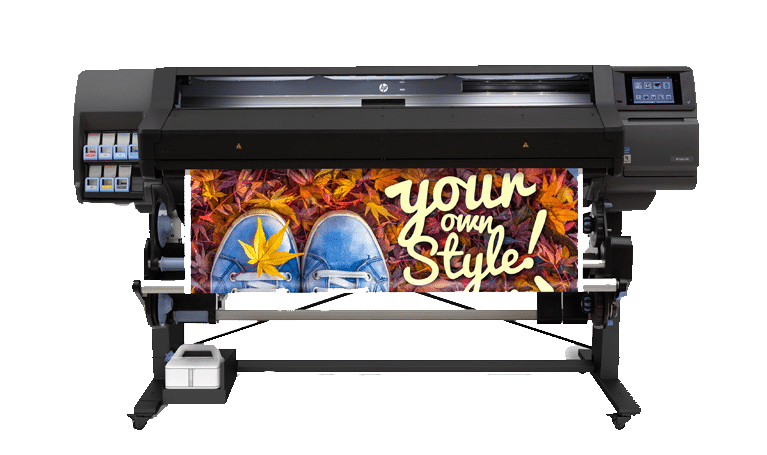
Back in 2008, eco-solvent technology had a few shortcomings. And HP introduced latex inks to overcome the same. Here are the gaps that their latex printer fills addresses.
One other big plus of latex printers is their amazing print quality and vibrant colours. In fact, excellent image quality is a given, for just about every HP printer model.
But as with every new technology, this one had teething problems as well.
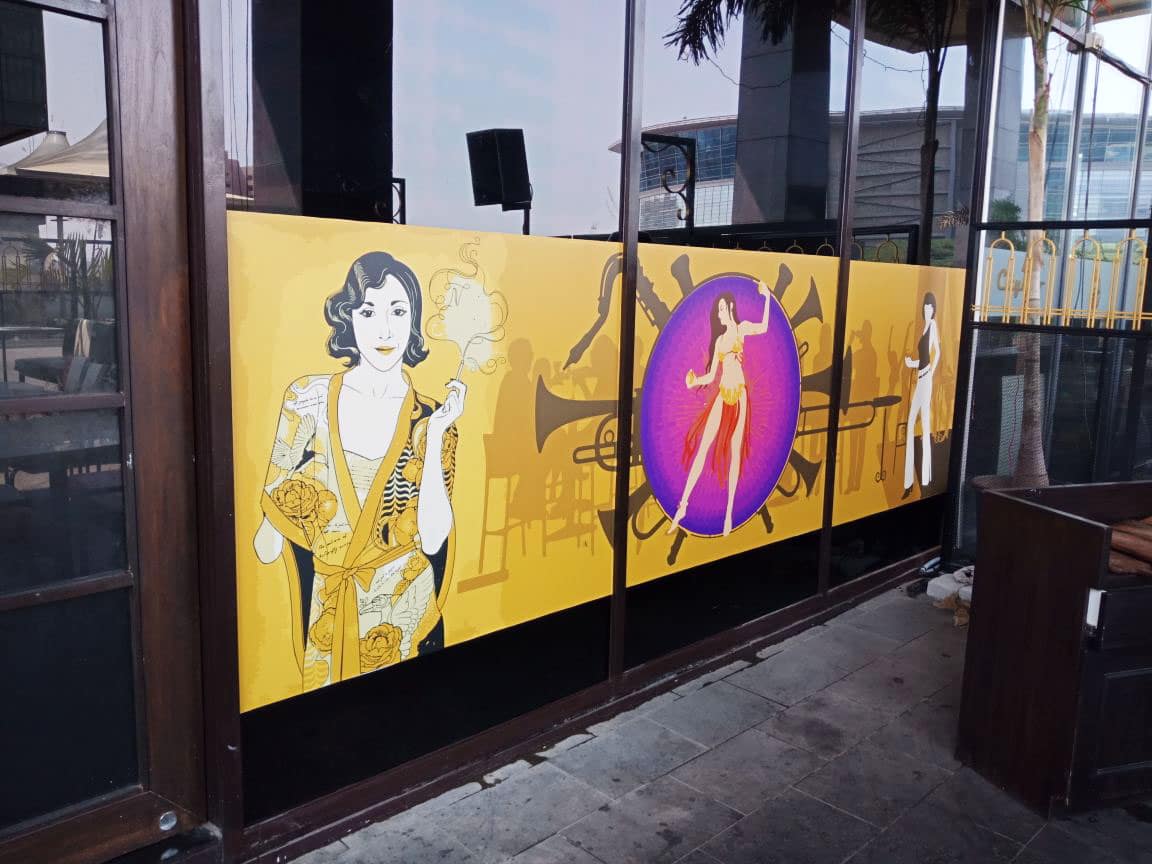

The biggest problem with latex ink is the sheer amount of heat required to melt and fuse their polymers in place. The initial models had heaters that ran all the way up to 120 degrees centigrade.
This heating consumed an absurd amount of power, and in turn, impacted the print shop’s bottom lines.
Also, at these temperatures, many types of media simply buckled. This started developing cracks & ungainly waves. Even the adhesion power of the glue (in self-adhesive vinyl) started getting affected.
The current generation of latex printer models ships with an air-dryer, in place of the heater. This dryer gets the work of fixing the inks done, at a slightly lower temperature; around 80 – 90 degrees centigrade.
HP has also added an additional ink cartridge to the standard CMYK colours. They have termed this – ‘the optimizer’. This optimizer is a clear ink solution that is layered on the print media before (and beneath) the colour inks.
This optimizer acts as a glue and ‘primes’ the media to receive the regular, colour inks. It holds the pigment in place and ensures a firmer bond between the inks and the substrate.
The current generation of inks work great, even with irregular and uncoated surfaces like rexine and cloth.
The inks in the initial models were not getting properly fixed, even when fused at these high temperatures. And the image tended to smudge if the print was handled a little roughly. So print shop providers had to laminate the same, for protection from scratches.
This problem has been largely resolved in the current generation of printers. In fact, these days, you can manually pull and stretch a latex print, and the inks will still not crack.
I suspect that the optimiser has worked wonders in fixing the inks very firmly to a variety of media.
If I had to use a mobile phone analogy, I would call the HP Latex machines – the iPhones of the printing world.
They are super easy to use, and they deliver simply gorgeous output. But they are also perceived to be more expensive than the other options available.
I have come across many latex machine owners who swear by its prowess. But on the other hand, I have also talked to others, who have traded in their latex printers for an eco-solvent or UV alternative.
And just like the never-ending comparisons between Androids and iPhones, there exist valid arguments both for and against eco-solvent and latex inkjets.
For example, like the Apple iOS, the latex technology is also pretty well sandboxed. And this becomes a little restricting for some print operators.
When you buy into the latex technology, you are also committing yourself to the entire HP ecosystem.
By themselves, the above arguments don’t count for much. Because HP also always provides sterling after-sales service.
But, with the absence of any kind of competition, HP is also pretty free to fix its own pricing. And a lot of print shop owners claim that this monopoly pushes the run costs of a latex machine, far higher than the alternatives.
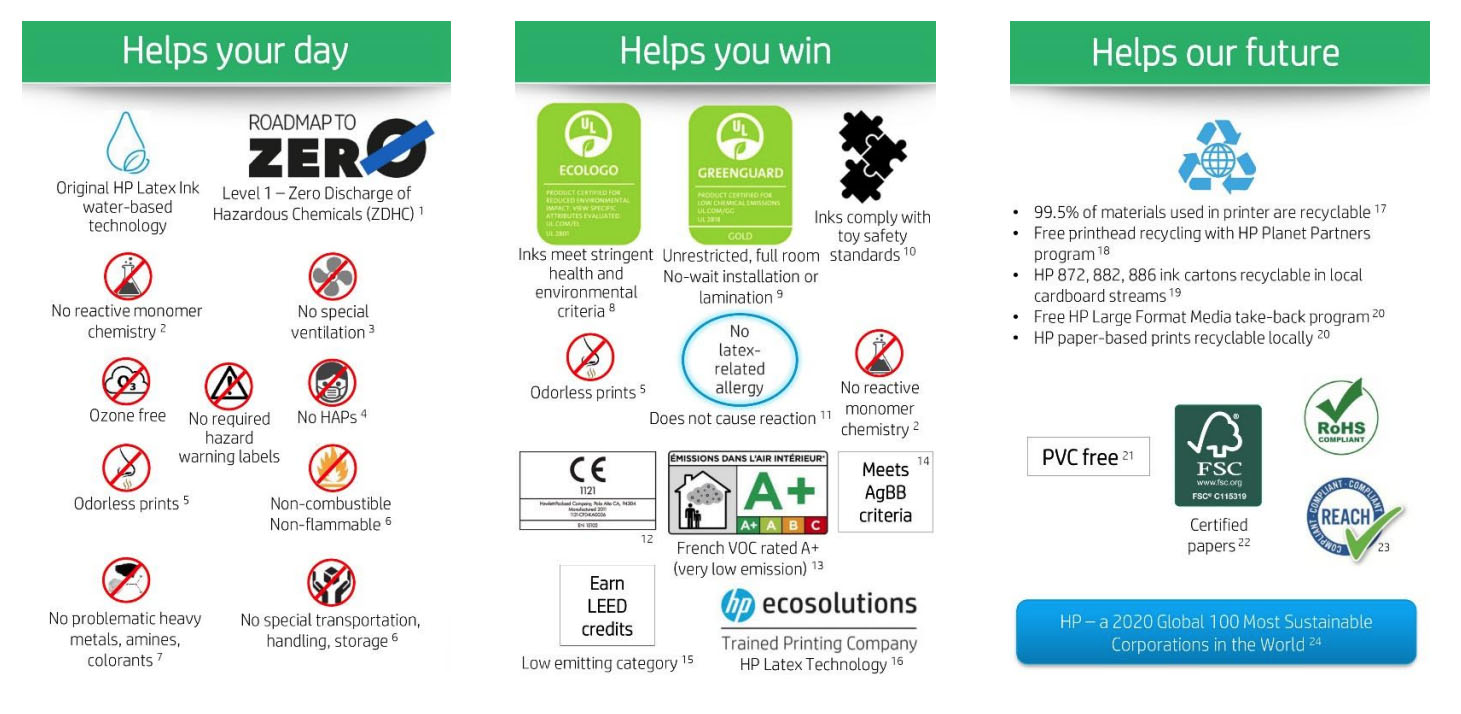
In the world of wide-format inkjets, the UV printer is the new kid on the block. And if the latex machines turned ink technology on its head, UV pushed the science even further.
UV inks are made of four components:
A monomer is a pretty friendly kind of organic compound; in the sense that it easily forms bonds with other molecules to create polymers. An oligomer is a basic polymer used as the building block to create more complex plastic molecules.
The third component is the colour pigment. And as we all know, these are small water-insoluble particles of either CMY or K.
Finally, the ink also contains a photoinitiator. This photoinitiator acts as a catalyst. And it starts a reaction between the monomers and the oligomers to create a polymeric molecule. This polymer (plastic compound) then goes on to bind the pigment to the print media.
The above paragraph is a pretty diluted explanation of the actual science. But for the purposes of our discussion here, remember that a chemical reaction initiated by light creates a very strong bond between the pigment and the substrate.
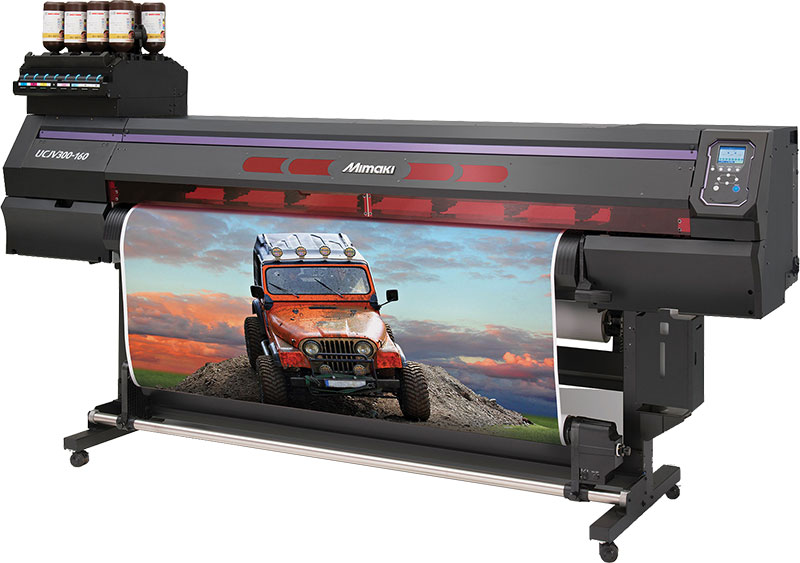
Here is what happens when UV ink printing takes place.
With the science of the way, let’s have a look at how good this printing solution is. And trust me, it is not just good, but actually pretty great.
UV inks have the potential to fulfil the wishlist of every print operator.
To begin with, these prints can be used indoors as well as for outdoor locations. You can output images at very high resolutions. UV prints are also extremely rugged and need to be laminated. You can use them straight off the press. Further, no heat is necessary to dry the inks.
But perhaps, the most significant advantage of UV inks is that they enable you to print on just about any material you want.
Let’s briefly discuss each of these features.
Printing media is manufactured with ink compatibility in mind. A manufacturer may especially treat a particular roll of vinyl to receive solvent and eco-solvent inks. But this roll will not work for an aqueous ink printer. It won’t run on a latex printer either if it is unable to withstand that machine’s very high curing temperatures.
This means that a print shop needs to stock a variety of media rolls for use with different inkjet machines. In my workshop, I have no option but to maintain separate inventory of each different type of machine.
And obviously, this impacts my bottom line.
But a UV printer gives you relief from this particular problem.
UV inks dry or harden instantaneously on coming in contact with the print media. There is just no time for the liquid inks to seep, run or blur. This means that UV inks can be printed on just about any coated or uncoated substrate that you can think of.
UV ink printing machines are truly media-independent.
By this, I mean that you can feed in just about any kind of paper or plastic in them and still be assured of a good print. UV printers give you the freedom to print on coated or uncoated vinyl, raw sheets of plastic, thin tissue paper, metal foils, or even an everyday roll of fabric.
If it can be loaded onto the machine, baby, you can probably print on it!
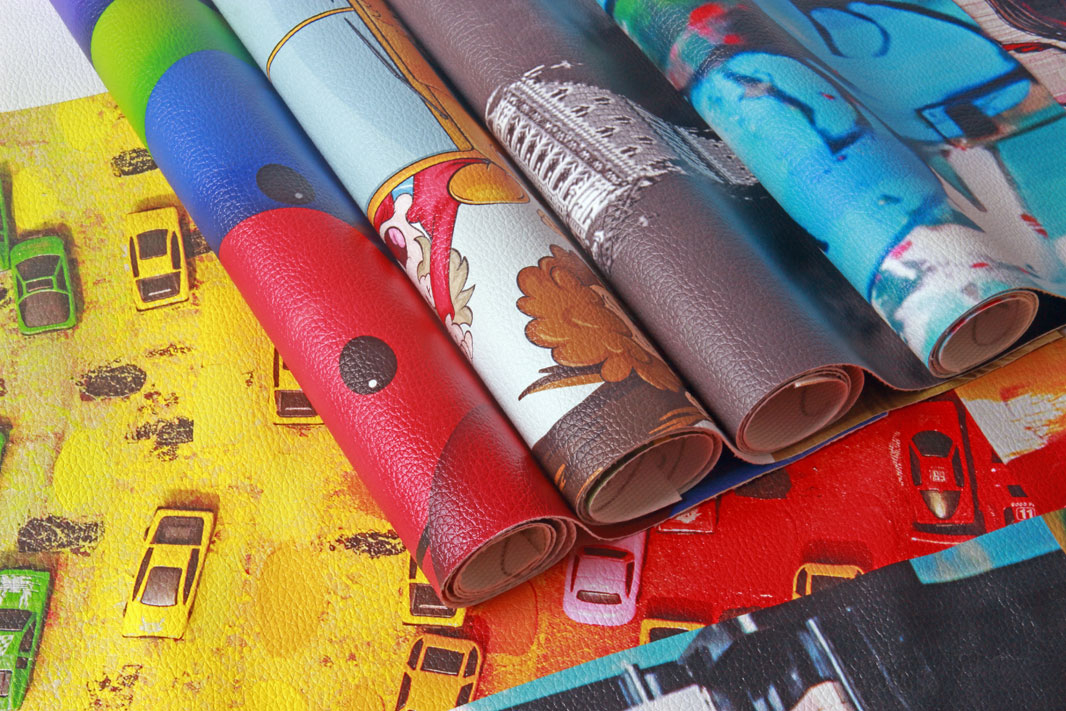
UV inks are scratch and scuff resistant. If you need vinyl prints for exceptionally harsh environments, you would do well to opt for this technology. In fact, you can even stretch the prints and the inks will stretch along with the media, without cracking.
Also, UV inks are highly resistant to rain and sunlight. So you need not laminate these prints for additional protection.
By eliminating this step in the production process, print houses save a lot of time and money.
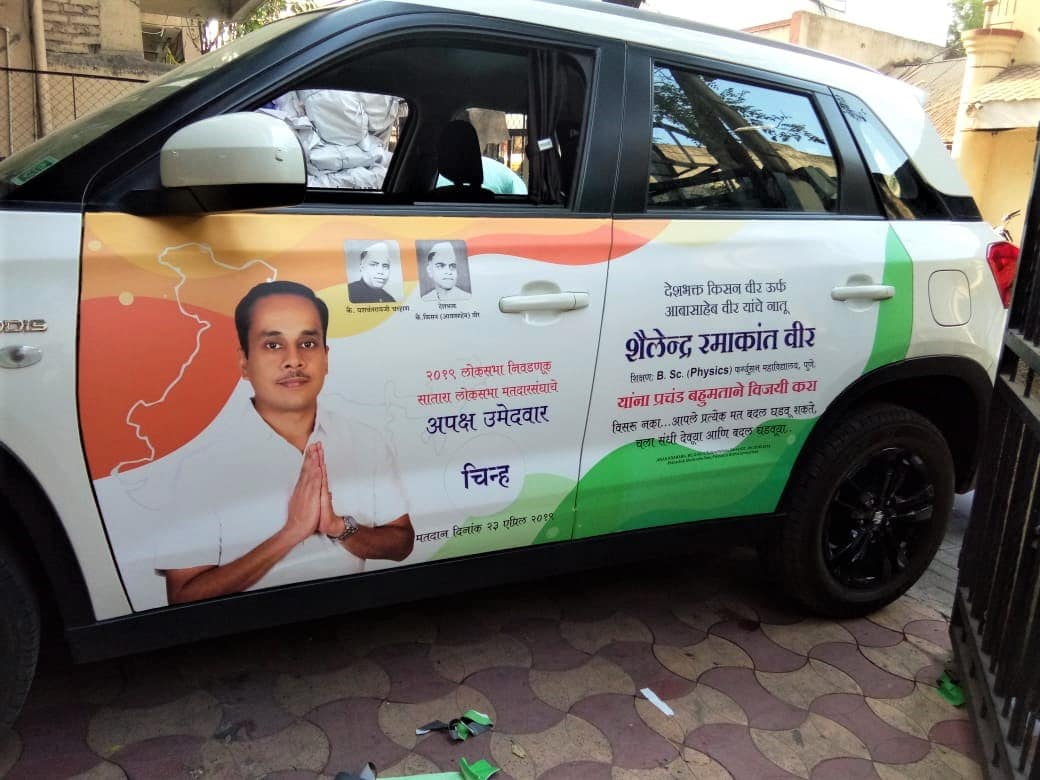
One use case of UV prints would be vehicle vinyls, where the prints get splattered with mud and dust on a daily basis. These prints also get washed and rubbed dry pretty regularly. UV printed vinyl easily withstands these daily rigours. Simply wipe off the dust and mud, and your print will look as good as new.
UV ink printers do not have any heaters. This is because the inks do not evaporate in the traditional sense of the word. They get cured by being exposed to UV rays. The absence of heaters leads to considerable savings in power while running the machines.
An operator can configure UV printers with additional colours like clear ink and opaque white ink. This opens up new product lines for the print vendor, along with new revenue streams.
UV machines can also be used to create prints with a raised, embossed effect.
These additional capabilities are not possible on other ink systems like eco solvents or latex machines at the time of this writing.
So let’s read on, to learn more.
All colour inks (CMYK) are transparent in nature. Print an image on a clear film and you will be able to see through the non-printed as well as the printed area. For example, if there is an image of a model printed on transparent glass films you can see through her face, on to the other side.
But white inks are opaque.
A UV ink printer configured with white ink enables you to place an opaque layer of white just beneath your model’s face. Now you have a glass film print that is partially opaque and partially transparent.
The image area, i.e. the face, is opaque, and you cannot see through the same. The non-image area, i.e. the area where no inks are layered, remains transparent.
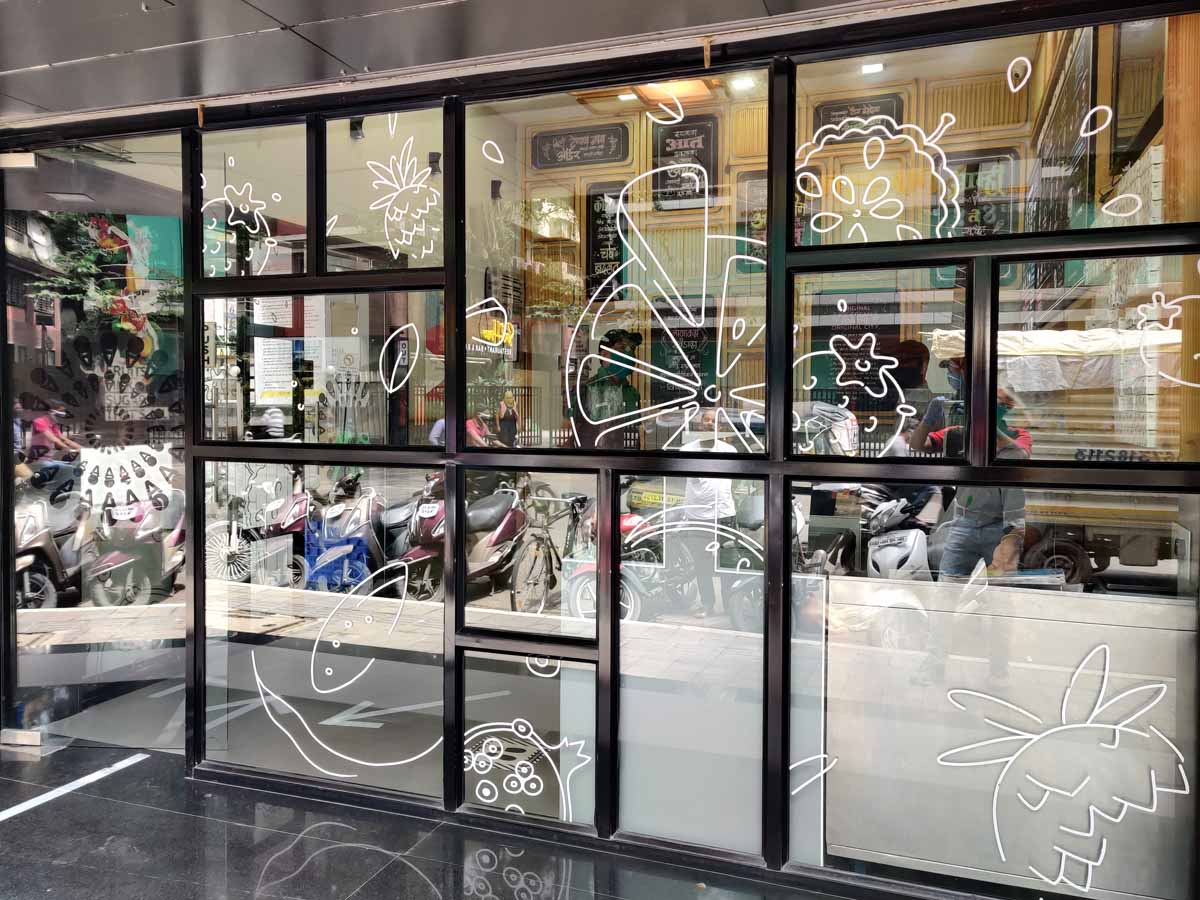
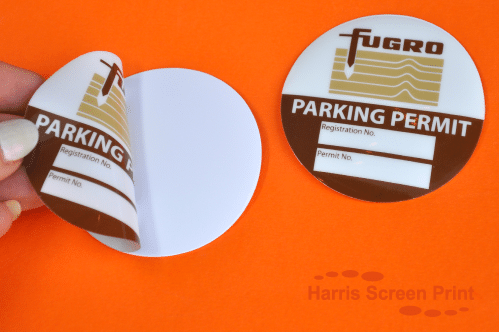
Such special application prints (like part opaque and partly transparent prints for glass partitions) can only be created by using white inks. Apart from this, multi-layered prints and reverse film printing (where both the image and adhesive is on the front surface of the print) also require the use of white inks.
Parking stickers/permits stuck on from the inside of car windscreens is one example of reverse ink printing.
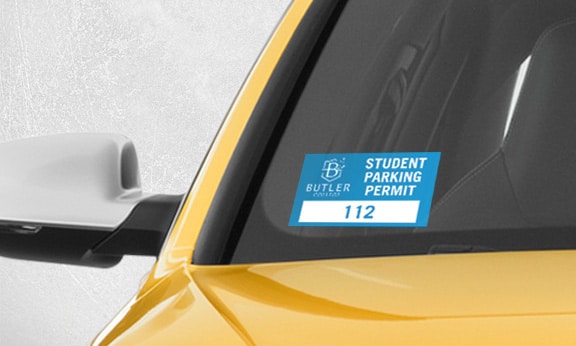
For more details on white inks, click here to check out our pretty exhaustive post on the same.
White ink technology is also available with solvent and latex machines. But so far, they have failed on these machines for a variety of reasons. So, if a print shop owner needs white ink printing capability, ultraviolet printing machines are his best bet.
In addition to white, UV printers can also be configured with clear/transparent inks.
Clear inks are used to create an additional coating on top of a regular CMYK image. Moreover, this layer can have a gloss or matt finish. The printing machine operator can now use this capability to create pretty stunning prints that have a raised, embossed effect.
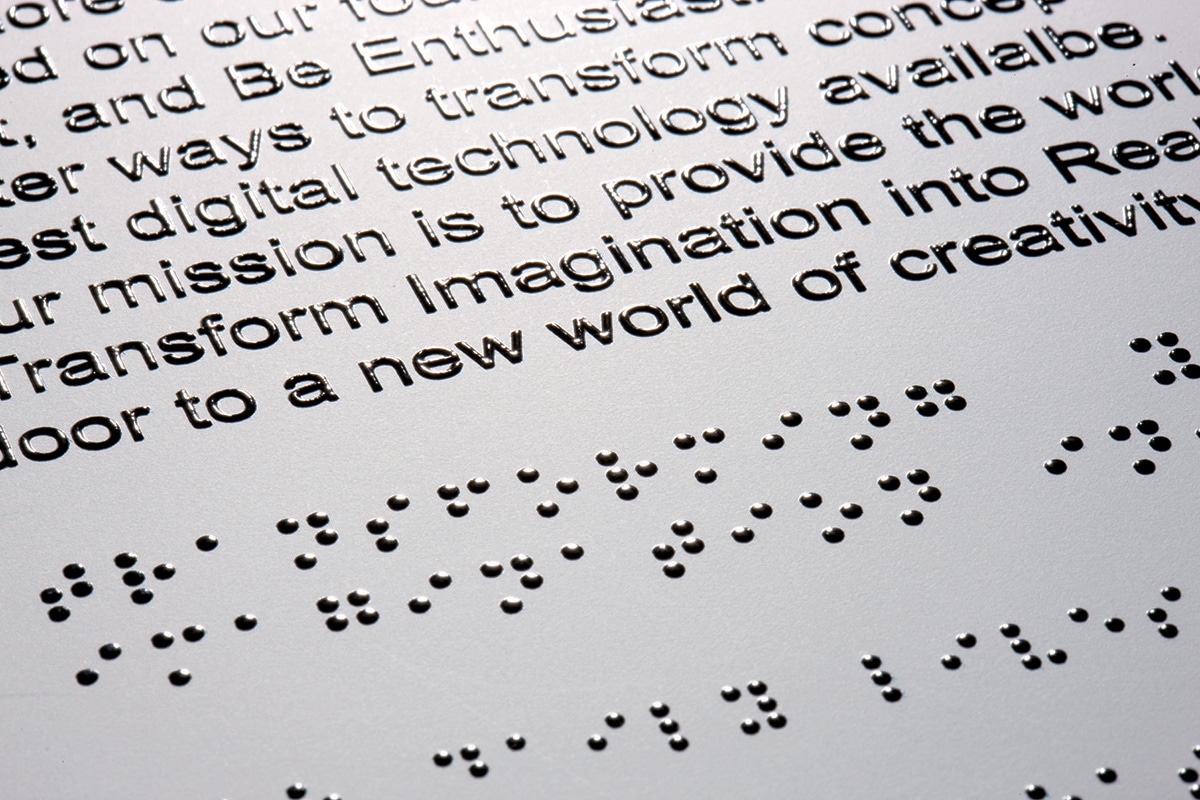
In the image above, you will see that clear ink is used to give a spot lamination like effect to prints. Spot lamination means only certain areas of the photo is coated.
For example, an image can be wholly matte except for the company logo that is given a shiny, glossy finish. Moreover, this logo is also slightly raised and has an embossed feel.
This kind of specialised application to highlight only certain image areas can only be delivered by clear ink technology.
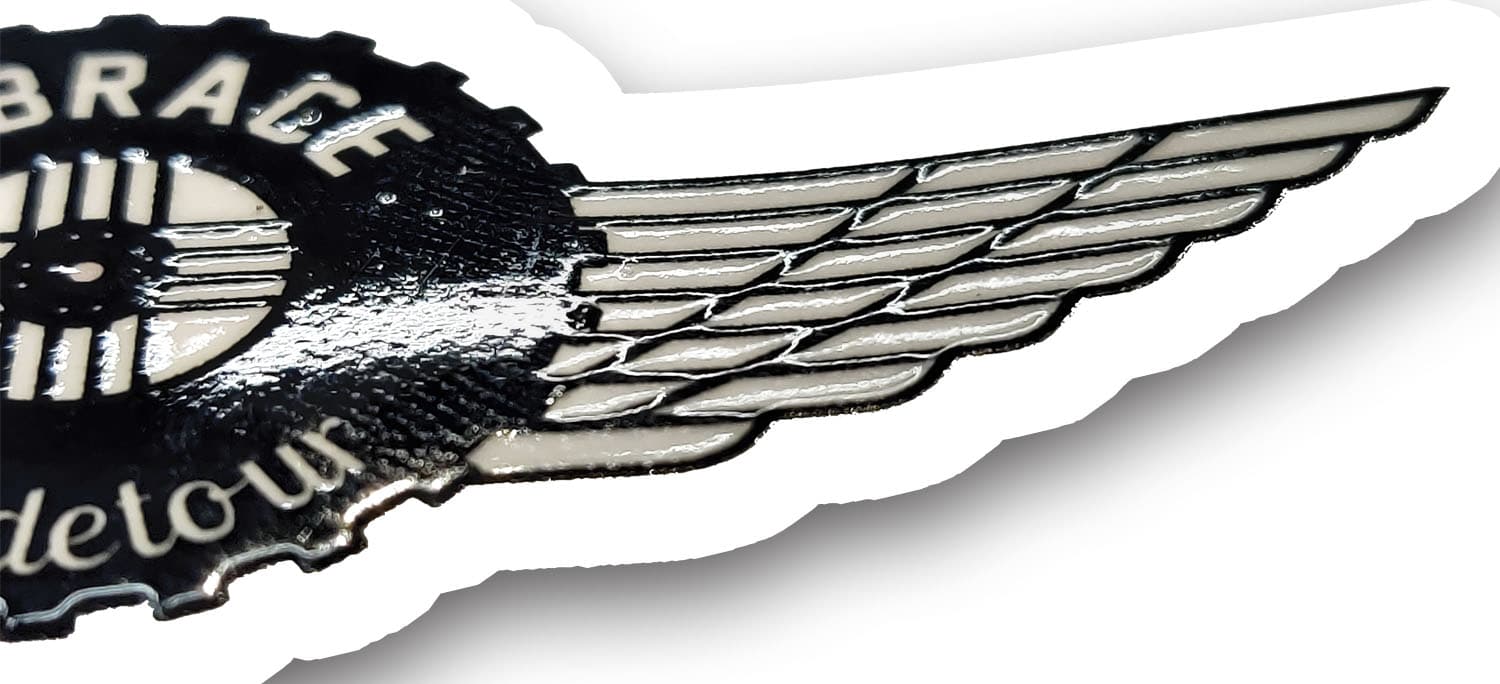
UV inks do not seep or percolate into the substrate they are deposited on.
Since the inks dry instantaneously on coming in contact with the print media, they do not get absorbed in the same. UV inks are left sitting on top of the print surface. If you run your fingers over a UV print, you will feel a separate layer of ink very slightly jutting or raised from the surface of base media.
Print providers use this property to generate prints with a raised, 3D effect. And they use a technique called ‘overprinting’ to do this.
Let us say we want to give an embossed effect to just the logo in a large poster. To do this, the print heads repeatedly pass over the logo all the while adding more and more layers of ink on that location. After a while, these multiple layers of ink, each deposited on top of the other, build up, to give a 3D embossed like effect to the print.
Again, this raised effect application is not possible using any other ink system.
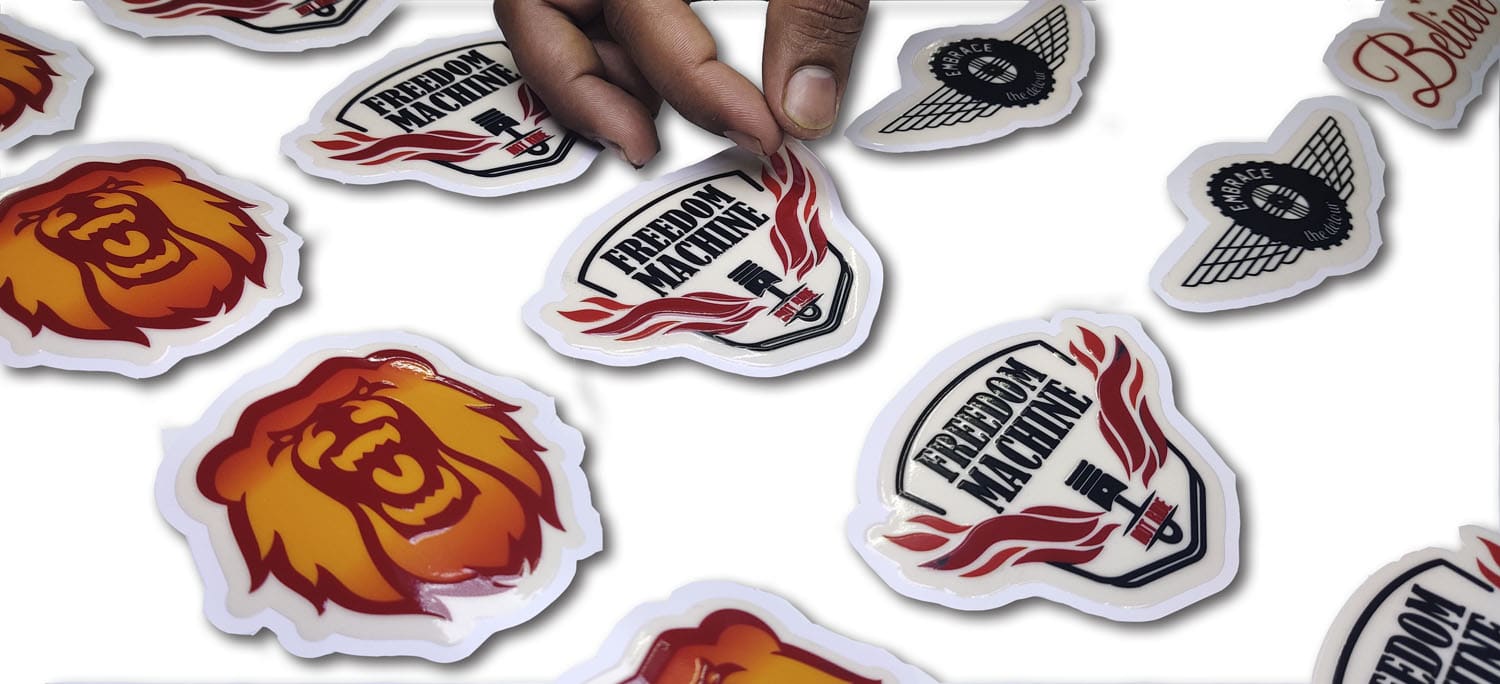
UV inks are made up of a mix of monomers & oligomers. These chemicals react to form a polymer/plastic molecule that helps in binding the ink to the substrate. Now, chemists can tweak the formulation to make the inks either flexible or rigid.
And this leads to one very fascinating application – Flat Bed Printing.
Apart from roll to roll machines, like the ones described above, print bureaus today can reproduce images directly on flat and rigid objects.
Imagine being able to print directly on a sheet of glass, a block of wood, or even ceramic tiles that you can install in your washroom. Flatbed printing technology enables this process and opens up exciting new applications, especially in the home and office interior decor segment.
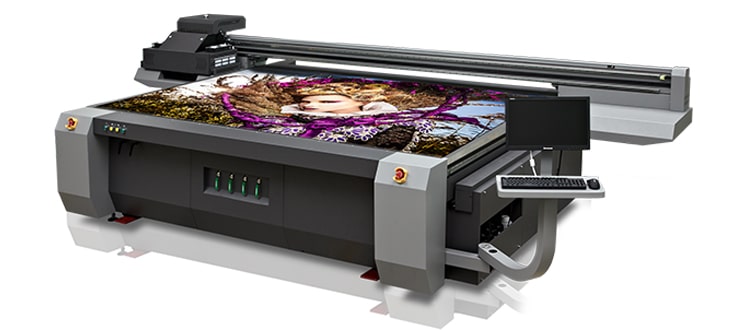
Coming back to our ink formulation, we already know that UV inks are flexible. So much so that you can even stretch the print without the inks cracking. This stretchability is also part of the reason why UV inks are so strong.
But if you need to directly print on a rigid substrate (like glass or wood), in addition to the inks being rock hard, you also need them to have a powerful bond with the surface beneath. This strong adhesion will ensure that the inks do not peel off.
So ink suppliers offer UV inks in two flavours:
HP Latex also offers a flatbed printing model. But currently, UV printers have the lion’s share in this segment and offer the most stable solution for the same.
We have a pretty detailed post about Flat Bed Printing that you might want to check out by clicking here.
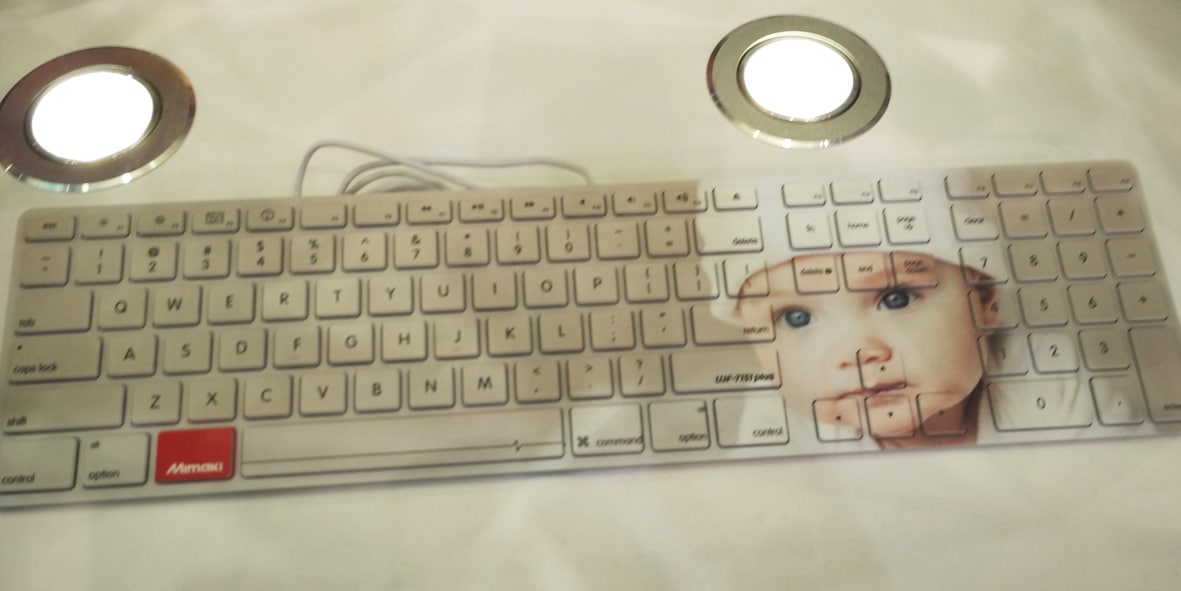
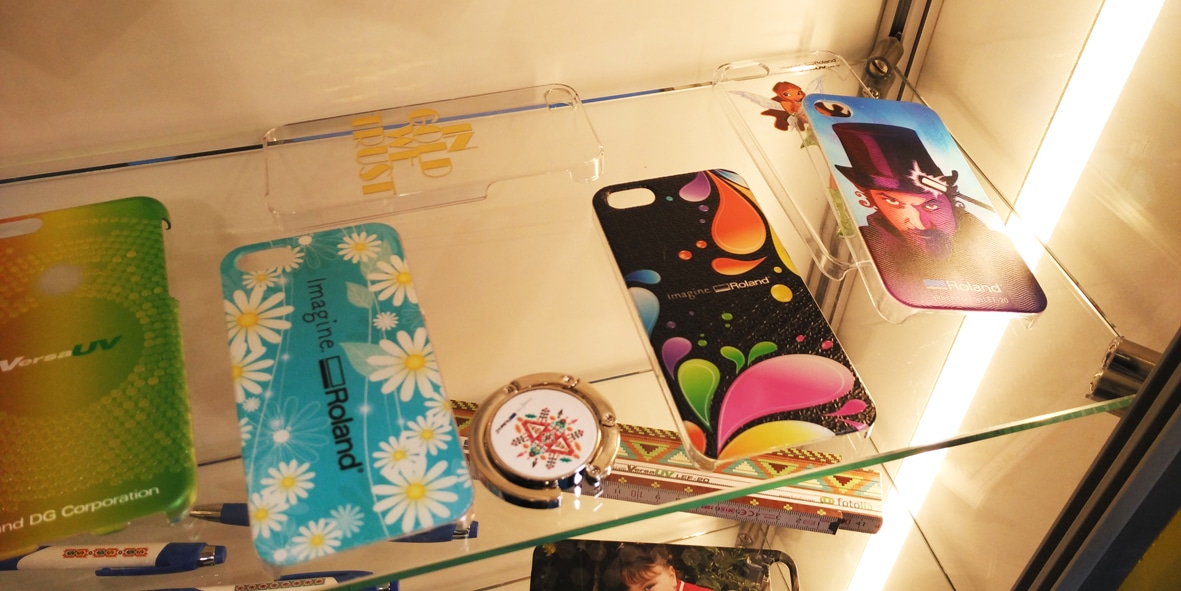
Here is a chart listing the main differences between the five inkjet inks listed here. Use it to determine which inkjet print is best suited for your purposes…
| Aqueous / water based inks | Hard Solvent inks | Mild / Eco solvent inks | Latex Inks | Ultra Violet (UV) inks | |
|---|---|---|---|---|---|
| Resolutions / Ability to reproduce high-quality images | Can output images at high resolutions | Outputs low-resolution images | Can output images at high resolutions | Can output images at high resolutions | Can output images at high resolutions |
| The location where prints can be used | Indoor | Outdoor | Indoor + Outdoor | Indoor + Outdoor | Indoor + Outdoor |
| Cost of inks and production | Low | Very low | Mid-range | High | High |
| Media Compatibility / ability to print on different substrates | Can only print on coated substrates | Can only print on coated substrates | Can only print on coated substrates but very wide range of media available in the market | The newer generation of latex printers have better media tolerance | Can print on any coated or uncoated substrate |
| Is a protective layer of lamination needed? | Yes | No | Prints are waterproof but lamination is recommended for scratch-resistance | Prints are waterproof but lamination is recommended for scratch-resistance | No |
| Speciality applications | Can only be used for photographic posters | Can only be used for outdoor hoardings and vinyls | Very wide media support for every application including textured, metallic, and cloth rolls | HP compatible media for wallpapers, canvas, fabric, etc. | White inks and clear inks enable premium job applications |
| Is print and cut / kiss cut option available | No | No | Yes | No | Yes |
| How mature is the technology? | Very mature. Enough engineers and spares are available. | Very mature. Enough engineers and spares are available. | Very mature. Enough engineers and spares are available. | Proprietary technology. Maintenance and spares available only at HP authorized outlets | Fairly nascent technology. Engineers for maintenance need specialized knowledge. |
| How much maintenance is required to maintain the heads and print quality? | Low maintenance | Low maintenance | Periodic maintenance is needed | Latex machines have a maintenance kit that you need to buy periodically. The same has to factored into your run costs. | Very frequent maintenance required. Inks will deteriorate if the machine is shut down. |
| Odour / Smell | No odour | Exudes a pungent hydrocarbon odour | Mild odour depending on the brand of the ink you use. | No odour | No odour |
| Green Credentials | Benign to the environment | Harmful to the environment | Different ink manufatcurers have different claims. But the ink definitely has an negative impact (although lesser that ‘hard’ solvent inks) | Benign to the environment. But they still use plastic compounds in their chemistry. | Benign to the environment. But they still use plastic compounds in their chemistry. |
I have attempted to distil most of my knowledge and experience of working with wide-format inkjet printers in this post. And I know that it has turned out to be a little longer than intended.
But I recommend that you bookmark this page and go over it a couple of times. I promise that you will gain a lot of insight into the advantages (and disadvantages) of working with different ink systems.
If you are out in the market looking to source a print job, you now know that it makes sense to save your money and opt for a simple hard solvent print if the same is going to be installed outdoors and will be viewed from a distance.
Alternatively, you need to opt for an eco-solvent or latex ink print for premium applications and close-up viewing. And if your photo has a more or less permanent application, or if you have speciality jobs, UV inks can help meet your requirements.
Going out to buy a wide-format inkjet printer to start your business can become pretty confusing. There are scores of companies and brands out there. And each of these companies deploys different ink technologies. Moreover, every company only pitches its own products as the only option for you should consider.
I started off my printing business a decade and a half ago. And I wish that there was an unbiased source of information that could tell me everything that I needed to know about wide-format inkjet printers and leave the ‘buy’ decision to me.
In fact, this thought inspired me to put up this post.
To my fellow print shop owners, I recommend that you first determine what kind of jobs you want to generate.
If your clients demand only large-sized (and low cost) hoardings, you need to consider a low-cost solvent machine. You may raise extra capital and invest in a higher-end eco-solvent, latex or even UV printing machine.
But the price of your end product will not be competitive enough for the market.
When it comes to high-resolution printing for commercial applications, you really can’t go wrong with an eco-solvent or latex printer. Both models have arguments for and against them. Consider these, and make a choice.
Some end clients also have rigid conditions baked into their deal. For example, I have a lot of corporate customers who mandate the use of UV inks for their jobs. Alternatively, if they are convinced that latex is a fully green technology (it’s not), they will demand that you supply only latex ink prints to them.
All these factors need to be taken into consideration when you invest in a wide-format printing machine.
As a matter of fact, buying a new wide-format inkjet printing machine for your business is a huge deal. The right (or wrong) decision can make (or break) your revenue streams. Towards this end, I have specially crafted the following two posts for my fellow print shop owners.
And they are an absolute must-read before you place your machine order.
Finally, to end, you know that we really love to hear from you about the printing information and stories we put out. If you feel that I’ve missed out on some detail, or there’s other information to add here, I’d love to know your opinion.
So do let me know what you think about this post in the comments section below.
Cheers!
Drop us a line. Send us your query. And we’ll get back to you with solutions and answers.

Mitesh lives, mostly for Saturdays.
But when forced to work, you’ll find him heading Orchid Digitals – a printing press in Pune.
If it’s an emergency, try looking for him in the hills behind his house. You’ll almost certainly find him… lazing under a tree, with a book in hand.
Jehangir Hospital’s name now glows on top of its new multi-level car park, right by Pune station. Behind the scenes: climbing the unfinished building, two sample letters for the board, 3 mm aluminium letters with Osram LEDs, a running-cost sum, letters carried up 12 levels by hand, chemical anchors and an engineer’s sign-off.
How lit 3D letters are made, shown with our 3D-printed demo letter M: a back panel with LEDs, a hollow printed shell and a 3 mm acrylic face. Plus how channel letters are made on our bending machine, and which one suits your sign.
How we made the double-sided Machan neon sign for Sweetlings, a children’s diabetes clinic in Pune: a trial plank of flame-burnt pine with neon pushed into CNC-cut grooves, then the final hanging sign with a glowing edge. With photos, an illustration and FAQs.
As the name suggests, the colourant is that component of ink that lends it its colour.
Let’s go back to our ‘Raang Panchami pichkaari’, analogy (or toy water gun for my non-Indian friends). To make the plain water in pichkaari colour, we also add in a little bit of gulal (red powder). So the colourant in our ink would be the gulal that dissolves in the water to give it a red colour.
Similarly, the magenta cartridge in our printer will contain a carrier (like water) and a magenta coloured dye. And the mixture of the two goes on to make our magenta coloured ink.
Now, I can see some of you rolling your eyes and going, ‘duh… yeah… like we didn’t figure that out already.’ But indulge me for a moment. It does get interesting.
There are mainly two types of colorants in inks:
Dyes are colorants that entirely dissolve in water. Pigments, on the other hand, are solid particles that stay suspended in water.
Dyes are liquid, to begin with, and are completely water-soluble. Once mixed in water, you can’t really separate the two of them. These dyes go on to stain the media that gets printed upon.
Pigments, on the other hand, are not liquid but solid particles of colour. Moreover, these particles are water-insoluble. And after being sprayed from the inkjet, these particles physically stick to the surface being printed upon.
To understand pigment inks, just imagine a water solution saturated with microscopic particles of coloured chalk. These particles are not dissolved in the water but stay suspended in the same. Theoretically, if you had a fine enough sieve, you could filter out these coloured particles even after being mixed in water.
Being water-insoluble, the biggest benefit of pigment-based inks is that they are significantly more robust than their dye-based counterparts. Rainwater cannot make these inks run (place a drop of water on dyes, and they will start smudging). Moreover, pigments are also more resistant to sunlight and will not fade as quickly as dyes do, in the same.
Solvent, eco-solvent, and latex, and UV inks all use pigments. And prints from all of these machines can be used outdoors.