Blog

August 20, 2020

What is White Ink Printing?

UV white ink printing explained. How to use an opaque 5th color in addition to CMYK. Create partly transparent & partly opaque prints for glass partitions.

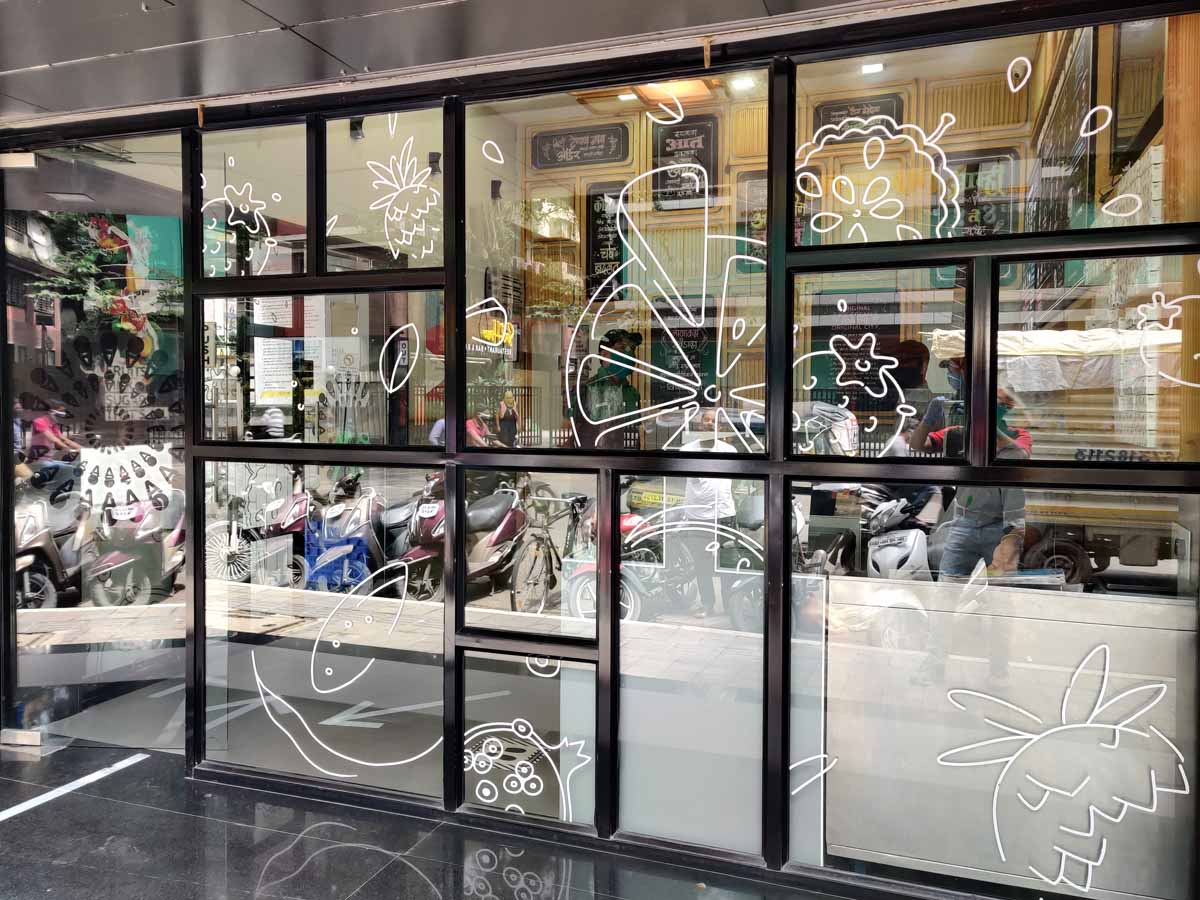
White ink printing of cliparts and doodles on transparent glass film pasted on the front partition of a naturals ice cream restaurant to give it a very beautiful look

White Ink Glass Film Prints

☆☆☆☆☆ 0.0 / 5.0  ·  0 reviews
Variant — Price per Sq Ft
White Ink Prints on transparent film 120.00 /sq ft
White Ink Prints on Ultra Clear transparent film 150.00 /sq ft
Stop settling for dull, faded glass graphics! Our specialized White Ink Glass Film Prints use opaque white ink on transparent film to deliver stunning, high-visibility branding that pops against any glass—even dark or tinted panels.  Achieve a premium, high-end "floating" effect where your logo appears suspended in mid-air, ensuring exceptional clarity and readability in all lighting conditions.
Get a Quote / Send Enquiry
Calculate your cost and send an enquiry — all in one place.
Step 1 — Select Material / Variant

Types of White Ink Prints

Step 2 — Calculate Your Cost
Input unit:
in
in
pcs
Step 3 — Your Contact Details
WhatsApp This Estimate
🖨️
High Quality Print
Quick Turnaround
📞
Expert Support
Chat on WhatsApp
Product image

 Place your logo, your company name, or your graphics in vibrant opaque white colour on dark, tinted glass panels and partitions

What is White Ink Printing? A new UV technology explained.

White ink printing of cliparts and doodles on transparent glass film pasted on the front partition of a naturals ice cream restaurant to give it a very beautiful look
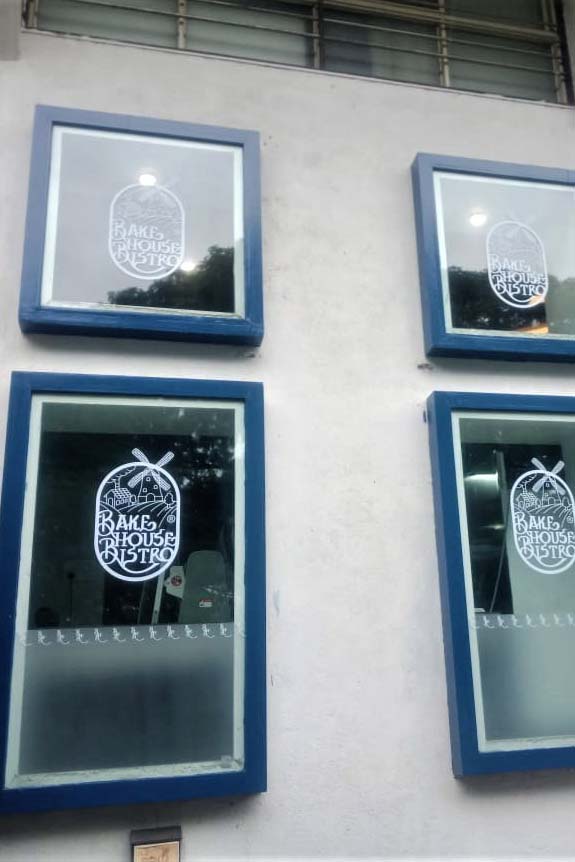
White ink printing of graphical designs and icons on the glass frontage of a restaurant

Create prints that are part transparent & part opaque. A new option for branding glass partitions.

All digital printing inks are transparent. The base on which the inks are printed, lends the print, its opacity. For example, when an image is printed on a white sheet of paper, the opacity of the paper ensures that you cannot see through it.

On the other hand, if you print the same image on a transparent plastic film, you can see through the image, onto the other side.

In both the above cases, the printing inks are transparent. But the media that these inks are printed upon, decides the job’s final opacity.

While all digital printers come equipped with four colors CMYK, there is a newer breed of machine that prints in a 5th color, that is…

White Ink for an inkjet printer.

And white ink printing technology makes some pretty interesting printing applications possible. Let us have a look at the inkjet printer that prints white ink.

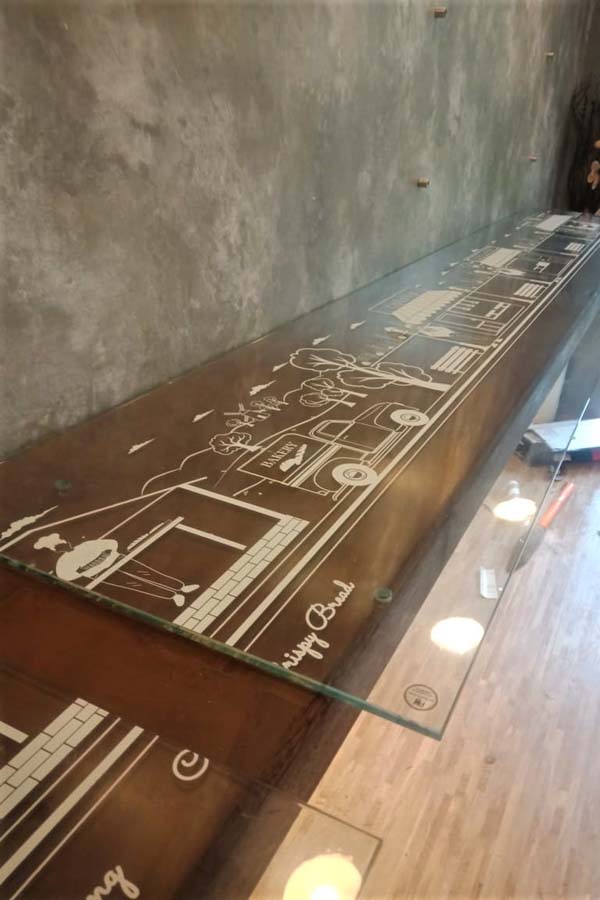
Graphical designs printed on a clear transparent vinyl using UV white inks. The film is then pasted on a glass shelf on enhance the looks of the same
The glass windows of a hotel decorated with designs printed by using UV white inks on a clear transparent vinyl

White Inks Are Opaque

The CMYK set of colors in a standard printer are transparent. They have to be so because these four colors mix up with each other to produce all the visible colors in the spectrum. White inks, on the other hand, are opaque. They do not allow light to pass through.

So, using white inkjet inks, in combination with a specialised technique called layering, we can create prints which are partially opaque and partially transparent.

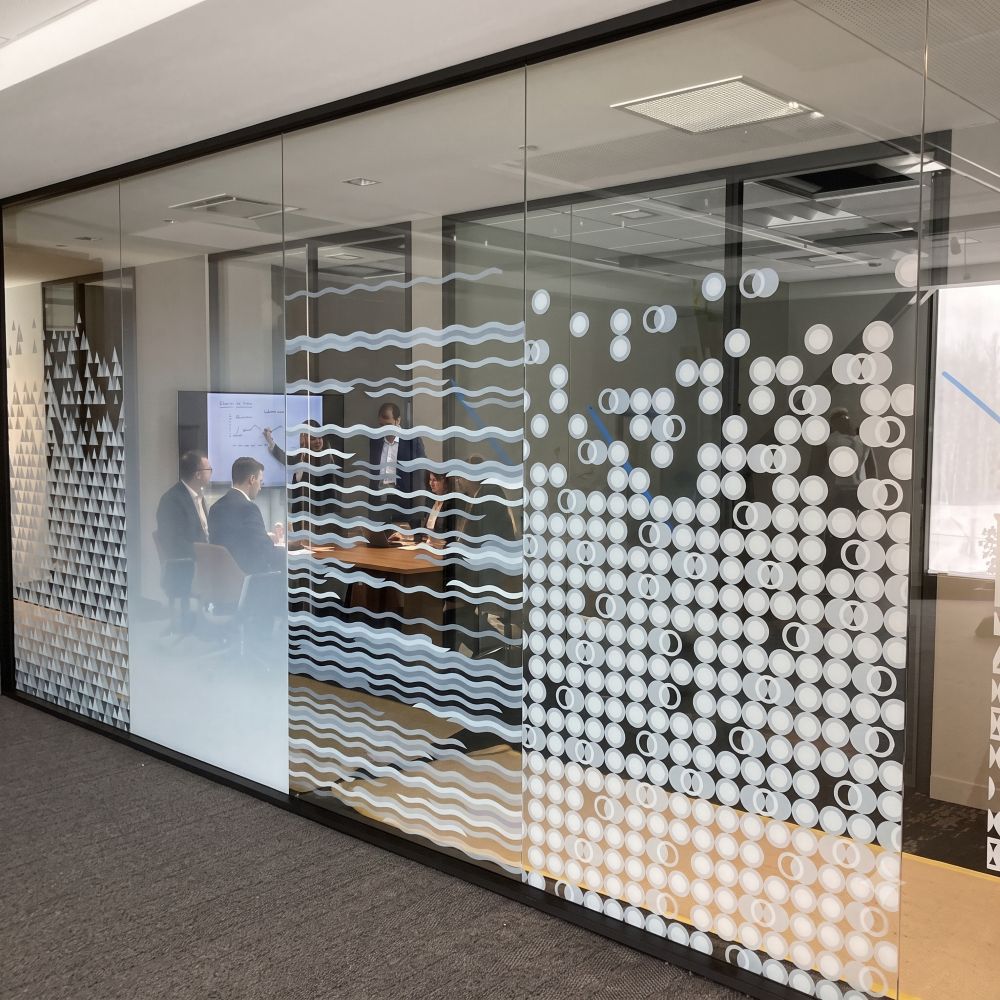
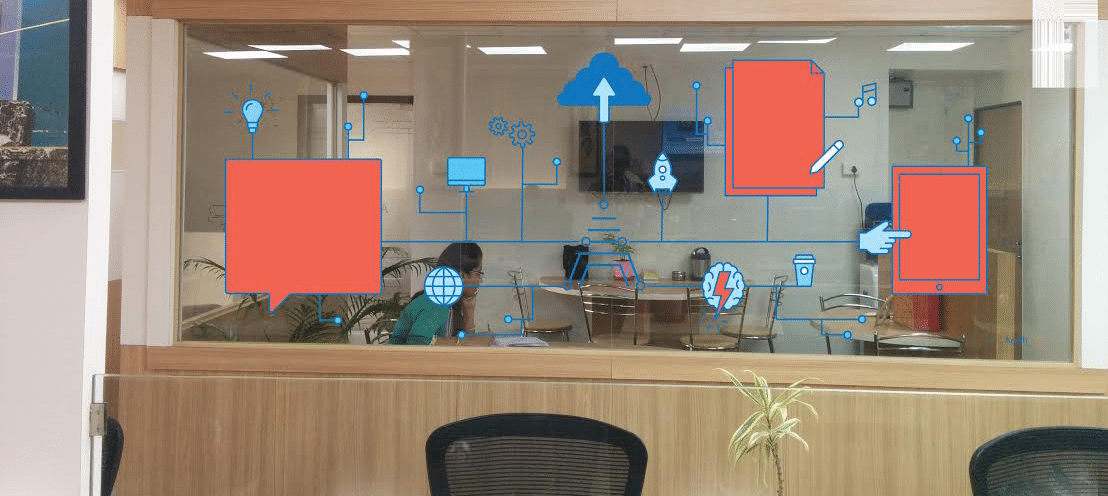
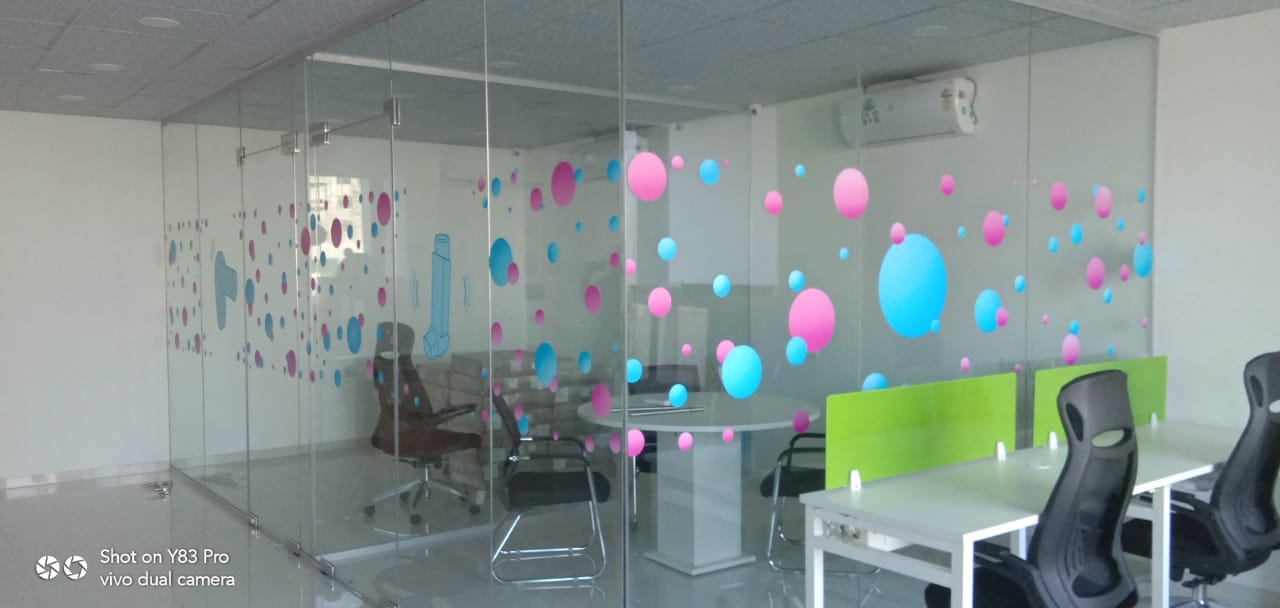
A glass partition in an office which is simultaneously opaque and transparent. This is achieved by using UV white inks with multi layer printing.

Using White Ink Layers

When we print an image on a transparent film with regular CMYK inks, we end up two distinct areas:

01

The image area (where the inks were applied)

02

The non-image area (where there were no inks or printed images)

If you remember, from our previous example, the entire print (including the areas where the images were printed) became transparent. This happens because, in addition to the base media being transparent, the inks on top allow light to pass as well.

Now, because you can see through the printed area as well, the image on a transparent film looks slightly dull. Please look at the first column of the second row in the image below and you’ll see what I mean. The light passing through the transparent inks results in a reduction of the vibrancy of the image.

But by using a layer of white inkjet inks, we can solve this problem.

Here is what we do…

01

We first deposit a layer of white ink on the transparent film/media. This layer is in the same shape as the final image. For example, if I have to print the letter ‘A’ in red color, I first print the ‘A’ in the same size, shape, and position, in white ink.

02

White inks are opaque. So effectively, I have created a white opaque area on my transparent film in the shape of the letter ‘A’

White inks are opaque. So effectively, I have created a white opaque area on my transparent film in the shape of the letter ‘A’

03

The next step is for me to overprint (print on top) of the white ‘A’ shaped layer. I now print the letter ‘A’ in red color exactly on top of the white layer.

04

The white layer is now fully covered by the red colored print. It is hidden and cannot be seen.

05

But when you hold up the print to the light, you will see that the red letter ‘A’ is now opaque. This is because the lower layer of white ink, (although hidden under the color inks layer) imparts opacity to only that area where the inks are deposited.

06

This gives us a beautiful dual effect of a partly transparent and partly opaque glass film.

    1. The image area (where inks are deposited in two layers (white + color) becomes opaque.
    2. The non-image area (where there are no inks) remains transparent.

How White Inks In Inkjet Printers Overcome the Problem of Transparency in Printing Inks?

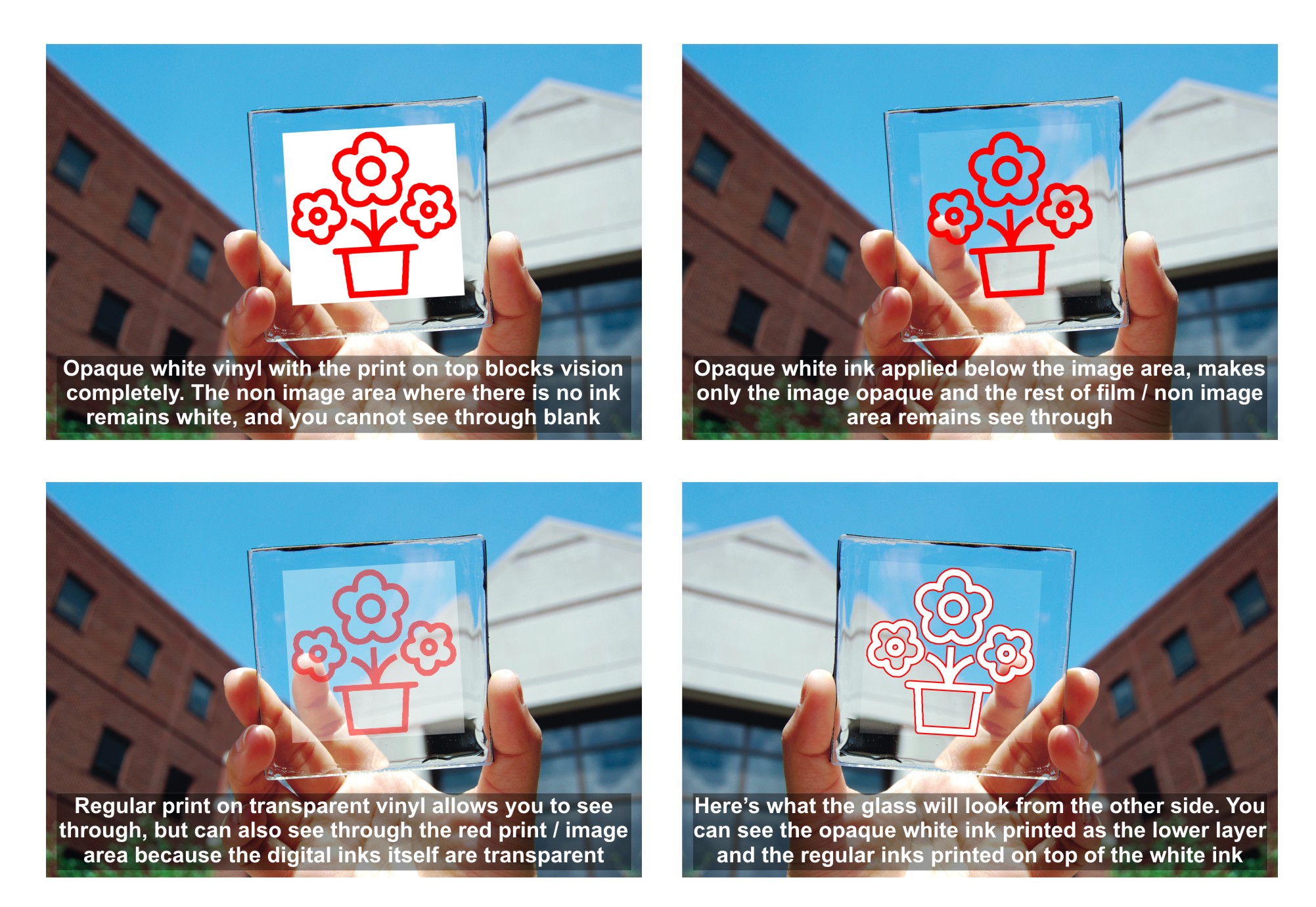
Look at the examples in the above image.

01

In the first image, we are printing white on clear vinyl which is pasted on a piece of glass. The vinyl print blocks our vision completely and you cannot see the sheet of glass.

02

White inks are opaque. So effectively, I have created a white opaque area on my transparent film in the shape of the letter ‘A’

In the second image (row 2, column, 1) the same image of a flower is printed on a transparent film. Now, while you can see through the glass sheet, you also find that the print itself looks a little faded. Here the red inks, being transparent, are allowing the light to pass through.

03

In the third image (row 1, column 2) a white layer is applied exactly beneath the red flower. Here, the image now becomes bright and vibrant. It is also opaque. The non-image area (or the rest of the film) remains transparent and allows vision to pass through.

04

The fourth image (row 2, column 2) is just a reverse view of the previous example. We can see the layer of white ink beneath the red flower. This is the layer that lends opacity to the image.

abstract circular design printed on optically clear glass film using UV white inks creates a beautiful effect where the image is opaque and the rest of the film is transparent

Other Applications of White Inks

In addition to helping create prints with dual effects of transparency, white ink prints also have other applications. Here are the reasons people get white ink printing service

01

Decorative Films for Glass: Interior designers look for frosted and transparent film prints to decorate the glass partitions of an office or living space. While inks for glass film prints on these partitions are a dime a dozen, prints with white inks stand out and look especially rich.

02

Reverse Pasting Films / Reverse Pasting Stickers: White inks are used extensively to create stickers that get reverse pasted. For example, the stickers on your car windscreen get pasted from inside the glass. You have a layer of glue on the color printed image, to begin with. The white layer is placed on top of the printed image to lend it its opacity.

03

Three-Layered Printing: In this option, we print two layers of different colors with a white layer sandwiched in between. For example, a film showing a red car on one side and blue on the other can only be achieved, using white layers.

transparent glass print with letters and words in white being pasted by a fitter on the window of a cafe
White UV inks for glass sicker printing where the film is partially opaque and partially transparent

Real-Life Example of a White Ink Job

The images of the office partition (below) are of a project executed for Ms. Shubham of Acuiti Consultants, Baner. She needed white ink printing service. She had two office partitions and she wanted to brand the same with white inks for glass film prints.

This client wanted to display a flow chart of her business processes on the partition. There was a workroom on the other side and she wanted to be able to see on the other side as well.

Moreover, the film had to be pasted from behind the sheet of glass, because she wanted to make notations with a whiteboard marker on the partition, from the front. We used white ink UV white inks for the printing to give her a satisfying solution.

White Ink Printing Machines & Technology

White ink printing technology is relatively nascent in the print industry. In its initial avatar, machine sellers used to retrofit 4 color eco-solvent machines to run white inks as an additional fifth color. But there were a lot of technical problems and white ink eco-solvents failed to really take off.

Of late, UV white ink printing machines come preinstalled with a white ink option. These machines are pretty stable and have gained wider acceptance in the print community. For running white inks on your machine you need to be aware of the following:

01

You need an additional printhead to channel the white ink in your machine

02

The white ink configuration will cost more than the basic 4 color options

03

The run cost for white inks is higher

04

You will need design expertise to create separate layers in files. Layered printing is necessary to produce white ink jobs

If you are a print vendor looking to buy a printing machine, we have two blogs that can help you get started. Do have a look at the same when free…

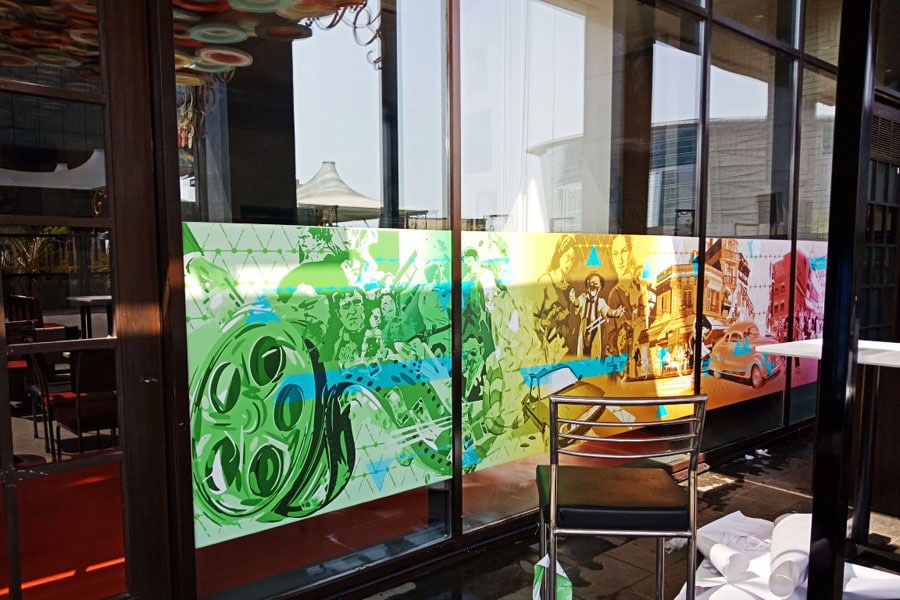
Inkjet printed opaque film pasted on a glass facade of a cafe to enhance the decor of the restaurant
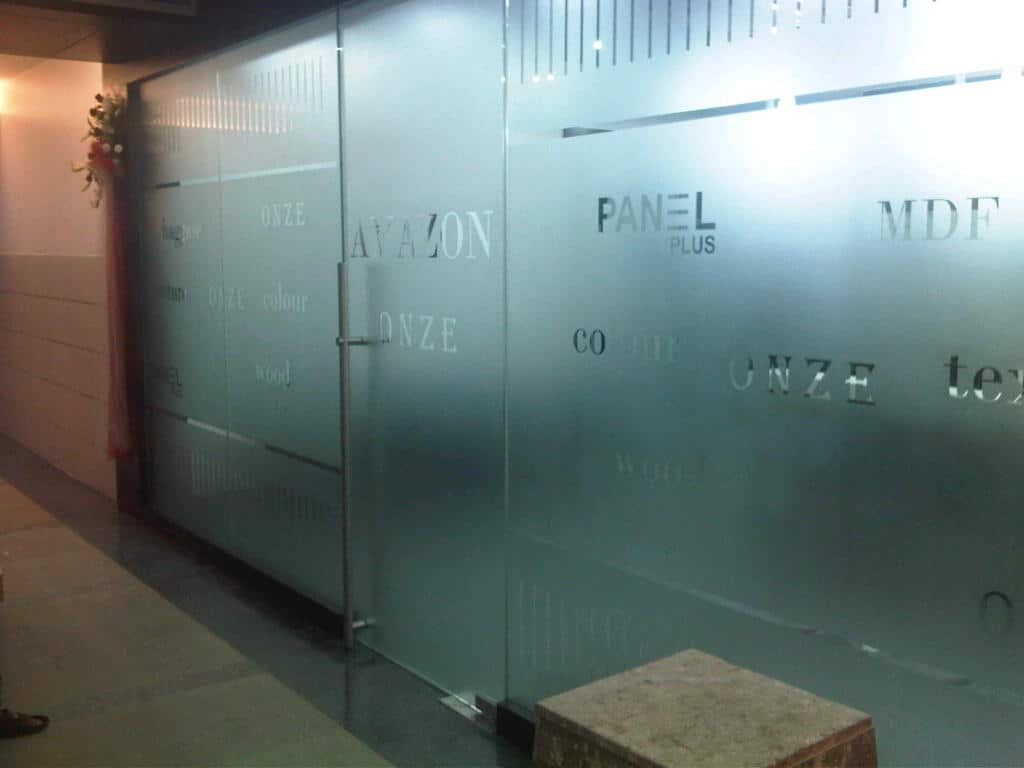
Logos cut on frosted glass film and pasted on office partition
Etched film on glass with logos cut out using a plotter
one way vision as a privacy panel

Other Options for Glass Branding

While white ink prints are a very premium option for branding glass partitions, we do have a whole lot of other options to do the same. So you might want to have a look at:

01

Opaque and transparent glass films: As the name suggests, these films can totally cut or fully allow light to pass through your glass partition or building facade. They are widely used for branding in corporate offices. Do click here to know more about printable glass film options.

02

Frosted glass films: Frosted films impart a rich ‘smoked’ or ‘dusted’ look to your glass panels. They ensure privacy for the people inside the office. And at the same time, these films allow natural light to pass through. These premium grade films will add a touch of class to your office interiors. Do click here to know more about frosted films for branding on glass panels.

03

One way vision glass films: This is a pretty intelligent idea for branding glass in commercial spaces. You print your branding/product images on the film just as you would, on any regular vinyl print. But when you paste it on a glass partition, this film imparts a dual effect to the same. Customers on the outside, get to see the printed imagery. But employees working inside the office can see outside. This film fulfills a dual purpose of privacy and enabling commercial advertising. Click here to learn more about one-way vision films.

Conclusion

White inks when used judiciously have the potential to enhance the offerings of a print service provider. Also, such a unique solution will help in generating extra revenue. All you need is a little bit of specialised knowledge and equipment to make it work.

Finally, Dear Reader, I would love to hear what you think about this write-up on white inks. So be sure to let us know, in the comments section below. Cheers.

FAQs | Frequently Asked Questions

Most printers do not have a white ink option and their machines are configured with a standard CMYK (cyan, magenta, yellow, black) ink set. The additional white ink option adds another dimension to the print. They allow for partially opaque and partially transparent prints.

White inks also enable multi-layer prints.

There are 4 main types of glass film prints we offer:

Transparent, opaque, frosted and one way vision film prints. Each of these offer a different level of visibility and privacy. Apart from this we also have speciaciality films like white ink prints, reverse pastable films, etc.

Yes. White inks are opaque. This allows for multilayered and raised effect prints.

Yes. When you create your artwork, place the object that needs to be printed in white on a separate layer. You can even place it at the same position but on a separate page.

Yes. We can make reverse pastable white ink printed glass film prints. You only need to specifically order this variant before we start production.

OCF or Optically Clear Films are a class of films that are ultra clear. They are so transparent that visually you cannot make out between the pane of glass and the film pasted on top.

When you view generic transparent films up close, you can make out faint marks of the glue. Sometimes the film itself has a tint slightly different from the sheet of glass beneath. And a discerning eye can make out that a separate film has been overpasted on top of the glass panel.

But OCF films are crystal clear. And differentiating the print from the pane beneath is almost impossible. Optically Clear Film prints also cost more than the traditional transparent film prints. But if you use them, it will seem as if the glass has directly been printed upon.

Most of our competitors pass of thin chinese lamination films as a glass branding product. Images do not get reproduced very well on these films and they also tend to crack and peel off. In fact lamination films are not even meant to be used for this application.

At Orchid Digitals, Pune we stock films from well known brands like Avery™, 3M™, Oracle™, etc. And these films are specially created to brand glass.

They last for years. And the inks on top do not fade. The films themselves are dimensionally stable. They do not crack or peel even at high (or very low) temperatures.

You can install glass film prints on your own. Just follow the steps listed beneath.

1. Make sure that the base surface is clean and smooth.
2. Spray a film of water on the surface where the job has to be pasted, and also on the adhesive back of the vinyl. This helps to reduce the initial strength of the glue and makes repositioning of the print easy.

After this initial prep, you can start pasting the wallpaper as follows:

1. Gently peel and start pasting glass film/vinyl starting from one corner.
2. Use a squeegee or handkerchief to smoothen the print on the surface.
3. Workout all the air bubbles and also the water to create a form bond between the adhesive and the surface beneath.

Finally,
1. Use a pin to puncture any bubble that may have remained.
2. Leave the print to dry out for a few hours. The glue will now form a strong bond with the substrate beneath.

Follow the above steps and you should be fine.

Also, for our Pune based clients, do give us a call and and we’ll send across a team to help with the endpoint-installation.
Our client can paste the glass film prints themselves, or hire a wallpaper guy to do the same.

And for our Pune based clients, we have a we have a team of pasters who can come and install the print on-site.
You can remove these prints or change them at a moments notice. Thus restoring the glass panels to their original state. There may be a little bit of residual glue post peeling. And the same can be cleaned away by a little thinner/petrol.
We can work with a variety of file formats. Do share your job as a .jpg, .pdf, .png, Corel Draw for EPS file.

Also, do make sure that the file has a sufficiently high resolution. While our machines have the capability to reproduce images of stunning quality, a high input resolution of your file will make a difference.
The minimum size of print we can process is 3 feet X 4 feet. For sizes smaller than this the billing amount still remains the same as that of size 3 feet X 4 feet.

We can send across a team for installing this product for our clients in Pune. This service will cost extra.

You can install glass film prints on your own. Just follow the steps listed beneath.

1. Make sure that the base surface is clean and smooth.
2. Spray a film of water on the surface where the job has to be pasted, and also on the adhesive back of the vinyl. This helps to reduce the initial strength of the glue and makes repositioning of the print easy.

After this initial prep, you can start pasting the wallpaper as follows:

1. Gently peel and start pasting glass film/vinyl starting from one corner.
2. Use a squeegee or handkerchief to smoothen the print on the surface.
3. Workout all the air bubbles and also the water to create a form bond between the adhesive and the surface beneath.

Finally,
1. Use a pin to puncture any bubble that may have remained.
2. Leave the print to dry out for a few hours. The glue will now form a strong bond with the substrate beneath.

Follow the above steps and you should be fine.

Also, for our Pune based clients, do give us a call and and we’ll send across a team to help with the endpoint-installation.

Yes. Online payments are accepted at Orchid Digitals. In fact we try to finish the entire job online. All you need to do is mail us your artwork/design file along with the requisite dimensions, material specifications, copies needed, etc.

After evaluating/understanding your project requirement we send across an estimate for the same. This estimate (in the form of a Proforma Invoice) will also contain an online paylink encoded in a QR code.

Scan the QR code to make the payments.

Once the funds are transferred, we process the job and the ship the same across to you.

Our custom printed wall prints can be delivered anywhere in India. The shipping charges for the same are extra and will be communicated to you once we receive the delivery address.

Additionally for our Pune based clients, we can send across a team to install the job as well.

Looking for any specific product?

Drop us a line. Send us your query. And we’ll get back to you with solutions and answers.

Mitesh Sanghani

Mitesh lives, mostly for Saturdays.

But when forced to work, you’ll find him heading Orchid Digitals – a printing press in Pune.

If it’s an emergency, try looking for him in the hills behind his house. You’ll almost certainly find him… lazing under a tree, with a book in hand.

Latest Products & Blogs

How to Start Your Own Digital Printing and Signage Business – & Turn A Profit On The Same

10 Things Every Restaurant Owner Must Do to Increase Their Sales

How to organise a successful marathon race?

Share this article
Mitesh Sanghani
Written by
Mitesh Sanghani
Proprietor at Orchid Digitals, Pune. With 20+ years in the printing industry, Mitesh writes about print technology, corporate branding, and signage solutions that help businesses make a lasting impression.
August 20, 2020 Orchid Digitals, Pune View all posts
Our Location
Email Us
Call Now
WhatsApp